Paid Ads Setup Rapid 7-Day Setup Sprint
Paid ads setup checklist is the difference between “we’re scaling” and “why is the dashboard lying to me again?” Most ad accounts don’t fail because the ads are bad—they fail because the plumbing is broken, the structure is chaos, and the data is basically vibes.
Here’s the truth: if your conversion tracking setup is sloppy, you’ll spend money to learn nothing. And the platforms will happily take your money while optimizing for the wrong thing.
If you’re new to paid ads for beginners, this post is your seatbelt. If you’re not new, it’s your intervention.
Table of Contents
- What this checklist actually fixes
- Ad account setup: access, billing, and guardrails
- Conversion tracking setup: the non-negotiables
- Pixel setup guide: clean events, clean signals
- Campaign structure that doesn’t implode
- Offer + creative: stop asking ads to do miracles
- Landing page + funnel: where conversions go to live (or die)
- Budgets, bidding, and the “learning death spiral”
- Preflight QA checklist before you hit Launch
- Measurement + reporting: truth without drama
- Rookie mistakes (and how to avoid them)
- Tools and templates: what’s worth paying for
- Frequently Asked Questions
- Bottom line: your 7-day setup sprint
What this checklist actually fixes
This paid ads setup checklist fixes the boring stuff that quietly ruins performance: wrong conversion goals, broken tracking, messy campaign structure, and “data” that can’t be trusted. Set the foundation once, then your testing actually means something. Otherwise you’re just paying tuition to the algorithm.
The problem is, most “checklists” are a cute list of buttons to click. That’s not setup. That’s busywork.
Setup is engineering. You’re building a measurement system that can survive: different devices, consent prompts, ad blockers, multiple domains, form tools, CRMs, and human error. If you want an example of how operators think about this stuff, skim more of the playbooks on Social Media Marketing Techniques—the point is repeatable systems, not magic tricks.
Here’s the approach we’re using:
- Start with the conversion. Define what “success” is in one sentence.
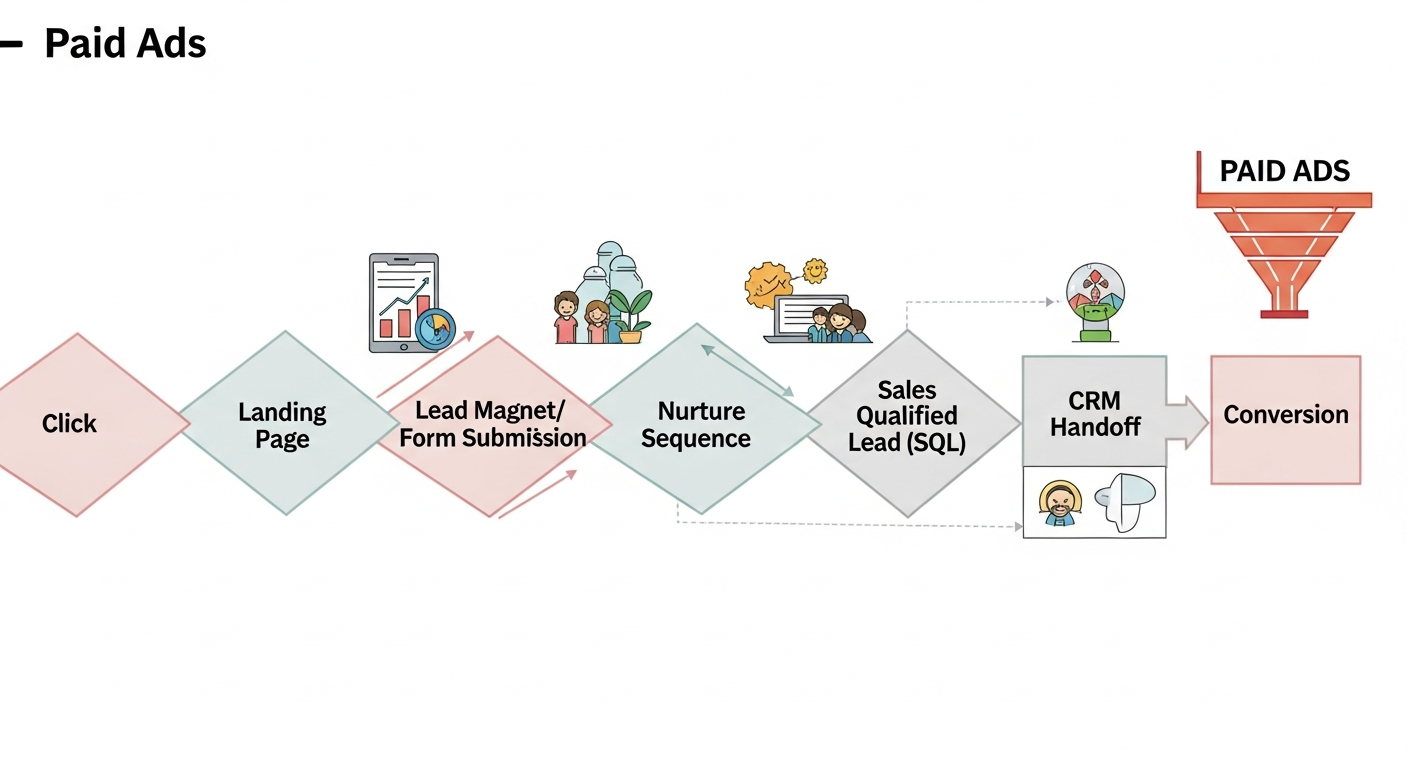
- Instrument the funnel. Track the steps that create that success.
- Structure the account to match intent. Let the algorithm learn cleanly.
- Run QA like you’re shipping software. Because you are.
And yes, we’re going to talk about pixels, tags, UTMs, and attribution. Because “just boost the post” is not a strategy, it’s a confession.
Ad account setup: access, billing, and guardrails
Most people treat ad account setup like signing up for Netflix.
Bad idea.
You’re setting up a financial system that can light money on fire at scale. So we add guardrails first, then we do the fun stuff.
1) Ownership and access (a.k.a. “future-you will thank you”)
- Use a business-owned email domain (not a random Gmail that disappears when someone quits).
- Create roles properly: admin, advertiser, analyst. Fewer admins. Always.
- Enable 2FA for everyone who can spend money.
- Document access in a shared place. If you’re an agency/concierge, keep a client-access spreadsheet that doesn’t live in someone’s brain.
If you want a bigger ecosystem view—how paid ties into your content engine, analytics, and social distribution—you’ll find more frameworks over at this hub. Paid ads works best when it’s not isolated from the rest of your marketing.
2) Billing, currency, tax, and the “why is my card failing” nightmare
- Confirm currency and time zone before spending. Changing later is pain.
- Add at least two payment methods (primary + backup).
- Set account spending limits if the platform supports it, especially early on.
- Save receipts/invoices to a shared folder for accounting. Don’t make finance chase you.
3) Policy reality check
Platforms are not your friends. They’re malls with rules. You can break the rules if you want—just don’t act surprised when you get escorted out.
- Check restricted categories (health claims, financial promises, housing/employment targeting, etc.).
- Don’t run “too good to be true” claims and expect stable delivery.
- Keep proof of claims (test results, certifications, pricing pages, terms) in case you get flagged.
And if you’re doing influencer-style promos or endorsements, you also need disclosure discipline. The FTC’s endorsement guides are not optional reading if you want to stay compliant and sleep at night. :contentReference[oaicite:0]{index=0}
Conversion tracking setup: the non-negotiables
Conversion tracking setup is where grown-ups separate from gamblers.
If your tracking is wrong, everything downstream is wrong: optimization, reporting, budgeting, creative decisions, and the story you tell your client (or yourself) about what worked.
Step 1: Define your primary conversion (one sentence, no poetry)
Pick the action that equals money. Not “engagement.” Not “time on site.” Not “good vibes.”
- E-commerce: Purchase (with value, currency, and order ID)
- Lead gen: Qualified lead (form submit + quality filter)
- Bookings: Scheduled appointment (confirmed, not “clicked calendar”)
- Apps: First key action (trial start, subscription, activation)
Everything else (view content, add to cart, scroll depth) is supporting signal. Useful, but not the goal.
Step 2: Decide where the “source of truth” lives
Here’s the truth: no single tool tells the whole truth. You need a stack.
- Ad platform conversions for optimization (learning/bidding)
- Analytics (GA4 or equivalent) for cross-channel reporting
- CRM/back-end for actual revenue and lead quality
And yes, you should use UTMs. They’re basic, but they still work. If you want the clean definition, UTM parameters are URL parameters used to track campaign effectiveness across sources and media. :contentReference[oaicite:1]{index=1}
For more tracking and measurement tactics that pair nicely with this checklist, browse the guides on Social Media Marketing Techniques—especially if you’re building a repeatable client onboarding process.
Step 3: Implement the platform tag correctly (don’t freestyle this)
Google Ads, for example, recommends using the Google tag for more accurate conversion measurement and modern setup. :contentReference[oaicite:2]{index=2}
- Install base tag sitewide (every page)
- Fire conversion events on the correct trigger (thank-you page, purchase event, confirmed lead)
- Pass values where relevant (purchase value, currency)
- Deduplicate if you have multiple systems firing the same event
One sentence that will save you money: Never optimize a campaign to a conversion you haven’t personally tested end-to-end.
Step 4: Validate (with real tests, not hope)
- Use platform diagnostics (tag helpers, event managers, conversion status)
- Run a test conversion with a tagged URL (UTMs) and confirm it appears
- Check attribution windows so you don’t panic when conversions lag
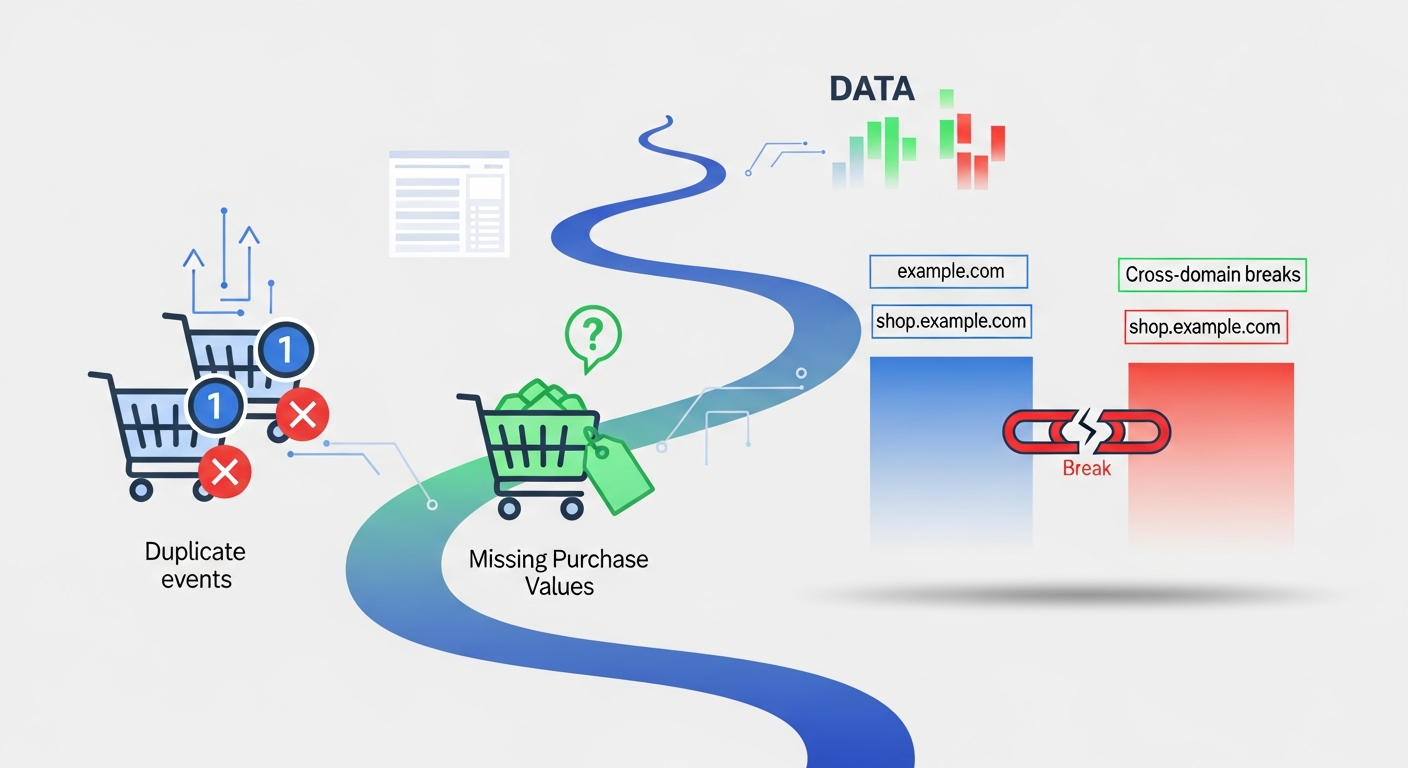
- Verify cross-domain flows (payment processors, booking tools, subdomains)
Pixel setup guide: clean events, clean signals
The pixel setup guide most people need is not “copy this code.” It’s “stop poisoning your data.”
Meta’s official flow is straightforward: create the pixel in Events Manager, install base code (or use a partner integration), then configure events. :contentReference[oaicite:3]{index=3}
But the hard part isn’t installation. The hard part is event discipline.
Pixel basics you must get right
- One pixel per business (in most normal cases). Stop creating new pixels for every campaign like it’s a new Spotify playlist.
- Standard events first (ViewContent, Lead, AddToCart, Purchase). Custom events later.
- Event parameters matter: value, currency, content IDs, order ID where relevant.
- Match the event to the intent. Don’t fire “Lead” on a button click that didn’t submit.
Common pixel mistakes that make optimization worse
- Firing conversions too early (e.g., “Purchase” on checkout start). That trains the platform to find window shoppers.
- Duplicate firing (plugin + GTM + platform integration all sending the same event). Your CPA looks “great” until you realize it’s double-counting.
- Wrong domain (pixel installed on marketing site, conversion happens on a different domain with no tracking).
- No consent logic (depending on region). Your data becomes inconsistent and you don’t know why.
If you’re building a standardized client pixel setup process, you’ll want to systematize your naming, QA, and documentation. That’s exactly the kind of operational stuff you can layer into your workflows via your site hub.
Events: the minimalist stack that actually works
Paid ads for beginners usually get overwhelmed here, so let’s simplify:
- Primary event: Purchase or Qualified Lead
- Two “leading indicators”: AddToCart / InitiateCheckout (e-comm) or ViewContent / StartTrial (lead/app)
- One quality signal: High-intent action (pricing page view, booking step, long form completion)
That’s it. You don’t need 37 micro-events to feel smart. You need 3–5 events that map to revenue and intent.
Campaign structure that doesn’t implode
Campaign structure is boring on purpose.
Boring structure creates clean learning. Messy structure creates fragmented data and a dashboard full of “not enough conversions.”
Fast forward to the part nobody wants to hear: if your account is chaotic, your creative testing is meaningless because you can’t isolate variables.
The baseline structure (works for most businesses)
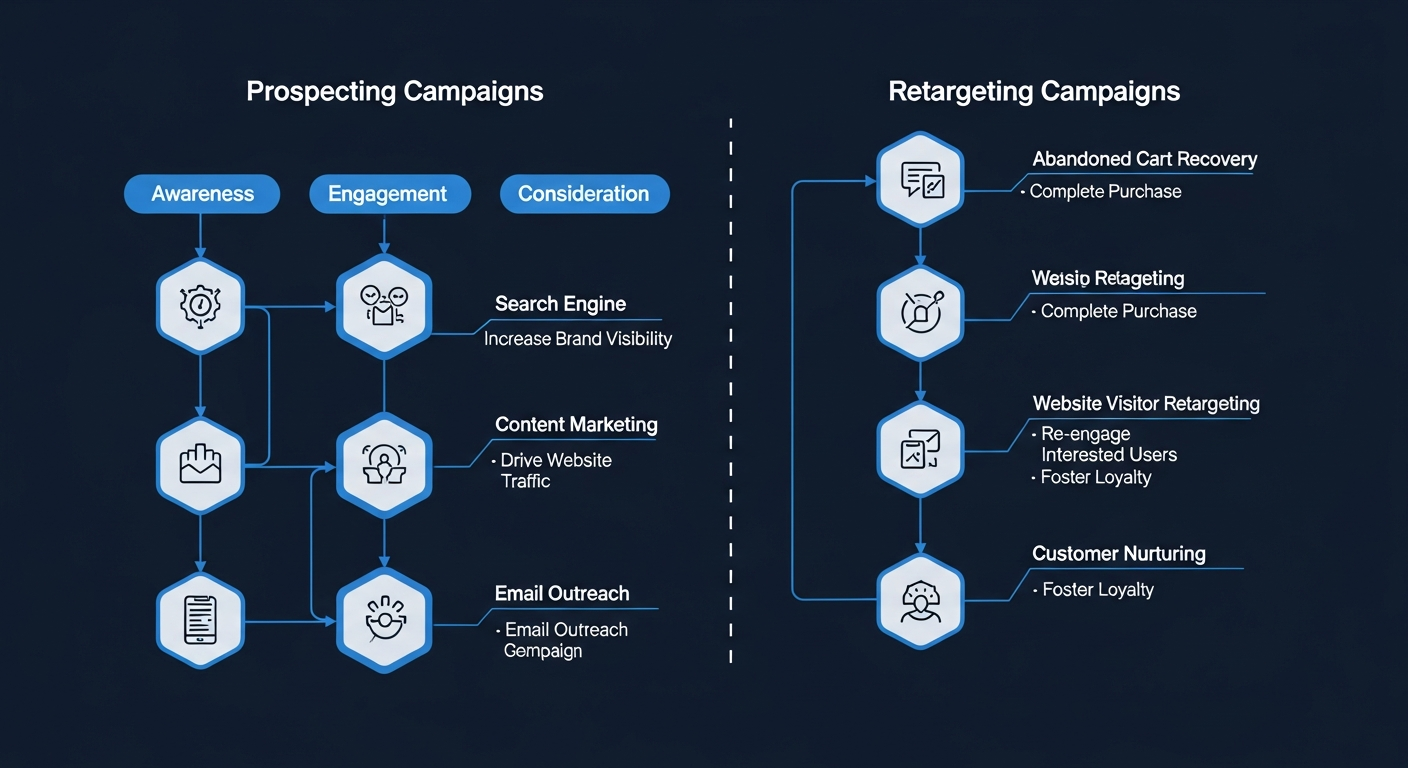
1) Prospecting vs. Retargeting (separate them)
- Prospecting = new people (cold)
- Retargeting = visitors/engagers/leads (warm)
2) One primary conversion per campaign
- Don’t mix “Lead” and “Purchase” in the same campaign and expect the algorithm to be a mind-reader.
- Pick the conversion you want, optimize for it, then judge the results honestly.
3) Keep budgets where the learning is
- One campaign with enough volume beats five campaigns starving to death.
You can build deeper variations later, but as a rule: complexity is earned, not assumed.
Naming conventions (yes, this matters)
If you can’t read your account like a log file, you’ll eventually lie to yourself.
- Campaign: Objective | Geo | Audience Type | Offer | Date
- Ad set / Ad group: Audience | Placement | Optimization | Exclusions
- Ad: Angle | Creative Type | Hook | CTA
Want a consistent way to roll this out across client accounts? Build a standard doc and keep it updated alongside your other systems on your marketing techniques library.
Search vs. Social structure (quick, practical differences)
Search is demand capture. People are already looking.
- Split brand vs. non-brand
- Split high intent (“buy”, “price”, “near me”) vs. research (“best”, “review”, “compare”)
- Control match types and negatives like your budget depends on it (because it does)
Social is demand creation. You’re interrupting.
- Structure by audience temperature and creative angles
- Retargeting should have different messaging than prospecting (obvious, yet rare)
- Creative fatigue is real—plan for refresh cycles
Offer + creative: stop asking ads to do miracles
Ads don’t fix bad offers. They expose them.
If your offer is confusing, your CPC will be high and your conversion rate will be low. Then you’ll “optimize” by changing button colors like that’s the problem.
The real job of the ad is simple: get the right person to take the next step.
Offer clarity checklist (before you write a single headline)
- Who is it for? One specific person, not “everyone.”
- What do they get? Concrete outcome, not adjectives.
- Why now? Time-sensitive value, not fake urgency.
- What’s the risk? Guarantee, proof, demo, policy, or clear expectations.
This is where content strategy and paid strategy should handshake. If your organic content is already doing intent-matching well, paid becomes a scaling lever, not a guessing game. If you’re building that ecosystem, you’ll find more operational playbooks on Social Media Marketing Techniques.
Creative testing that doesn’t waste your budget
Most creative testing is “let’s try five random ads.” That’s not testing. That’s throwing darts in a storm.
Use a simple matrix:
- Angle: pain, outcome, proof, objection, comparison
- Format: static, UGC-style video, product demo, carousel
- Hook style: direct claim, curiosity, contrarian, “here’s the truth”
Test one variable at a time when possible. If everything changes, nothing is learnable.
My unpopular opinion: if your creative doesn’t make sense with the sound off, it’s not “creative,” it’s just noise.
Ad copy rules (short, sharp, credible)
- Lead with the point (first line earns the scroll)
- Write like a human (no “revolutionary solutions” nonsense)
- Use proof (numbers, screenshots, testimonials, certifications)
- One CTA (don’t ask for a purchase and a follow and a download)
Landing page + funnel: where conversions go to live (or die)
Your ad can do everything right and still lose if the landing page is a crime scene.
Here’s the truth: paid traffic punishes weak UX faster than organic traffic ever will.
Landing page essentials (in priority order)
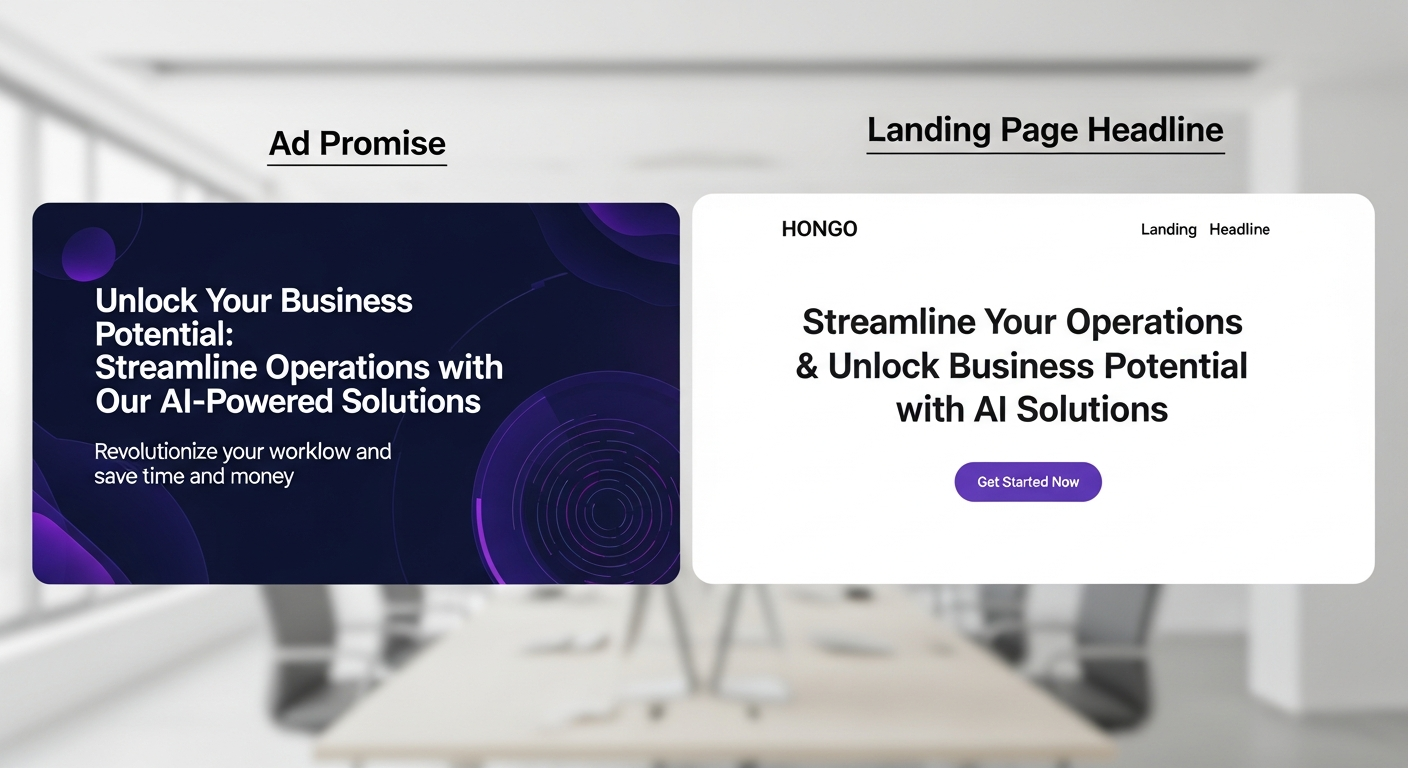
- Message match: headline mirrors the ad promise (not a vague brand slogan)
- Speed: if it loads like it’s on dial-up, your CPA will punish you
- Single primary action: one page, one job
- Proof above the fold: logos, results, screenshots, guarantees
- Friction removal: fewer fields, clearer steps, no surprises
Also: don’t hide pricing if price is the main objection. You’re not “qualifying.” You’re wasting clicks.
Funnel mapping (simple and effective)
Track these funnel checkpoints:
- Landing view (baseline traffic sanity)
- Engagement (scroll, time, key section view) if it actually predicts conversion
- Lead start (form begin / checkout start)
- Primary conversion (form submit / purchase)
- Downstream quality (qualified lead / booked call / refunded purchase)
If you want practical funnels and content-driven landing strategies, keep a running library of patterns on your site so you’re not reinventing the wheel every campaign.
Cross-domain and third-party tools (the silent tracking killers)
Booking tools, payment processors, and embedded forms often break tracking unless you plan for them.
- Cross-domain linking needs correct configuration (and testing).
- Embedded forms may not fire events unless you hook into submit callbacks.
- Redirect chains can strip parameters if done poorly.
Bottom line: if your conversion happens off-site, your conversion tracking setup needs extra attention. Don’t pretend it “probably works.”
Budgets, bidding, and the “learning death spiral”
This is where beginners accidentally sabotage themselves.
They underfund campaigns, then panic-edit daily, then conclude “paid doesn’t work.”
No. Your process didn’t work.
Set budgets based on math, not feelings
Quick budgeting sanity check:
- Estimate conversion rate (even if it’s rough)
- Estimate target CPA (what you can afford)
- Calculate how many conversions you need per week for stable learning
If your target CPA is €50 and you want 20 conversions/week, you need roughly €1,000/week budget (before you even talk about variance). If you can’t fund that, reduce scope or pick a higher-intent channel first.
Bidding and optimization rules that save you from yourself
- Don’t change budgets wildly every day. You’re resetting learning and introducing noise.
- Don’t stack changes. One change, then observe.
- Don’t judge too early. New campaigns need time to stabilize.
- Don’t optimize for cheap clicks. Cheap clicks are often cheap for a reason.
Want more operator-level guidance on consistent optimization habits? Build a simple cadence doc and store it with your other SOPs on your techniques portal.
What “learning” actually means (without the mysticism)
Ad platforms are pattern machines. They need:
- Volume (enough conversion signals)
- Consistency (stable targeting/creative/budget long enough to learn)
- Clean signals (events that actually represent value)
If any of those are missing, results look random. And then people “fix it” by adding more complexity. Which makes it worse.
Preflight QA checklist before you hit Launch
This is the 30-minute checklist that saves thousands.
Do this every time. Every campaign. No exceptions.
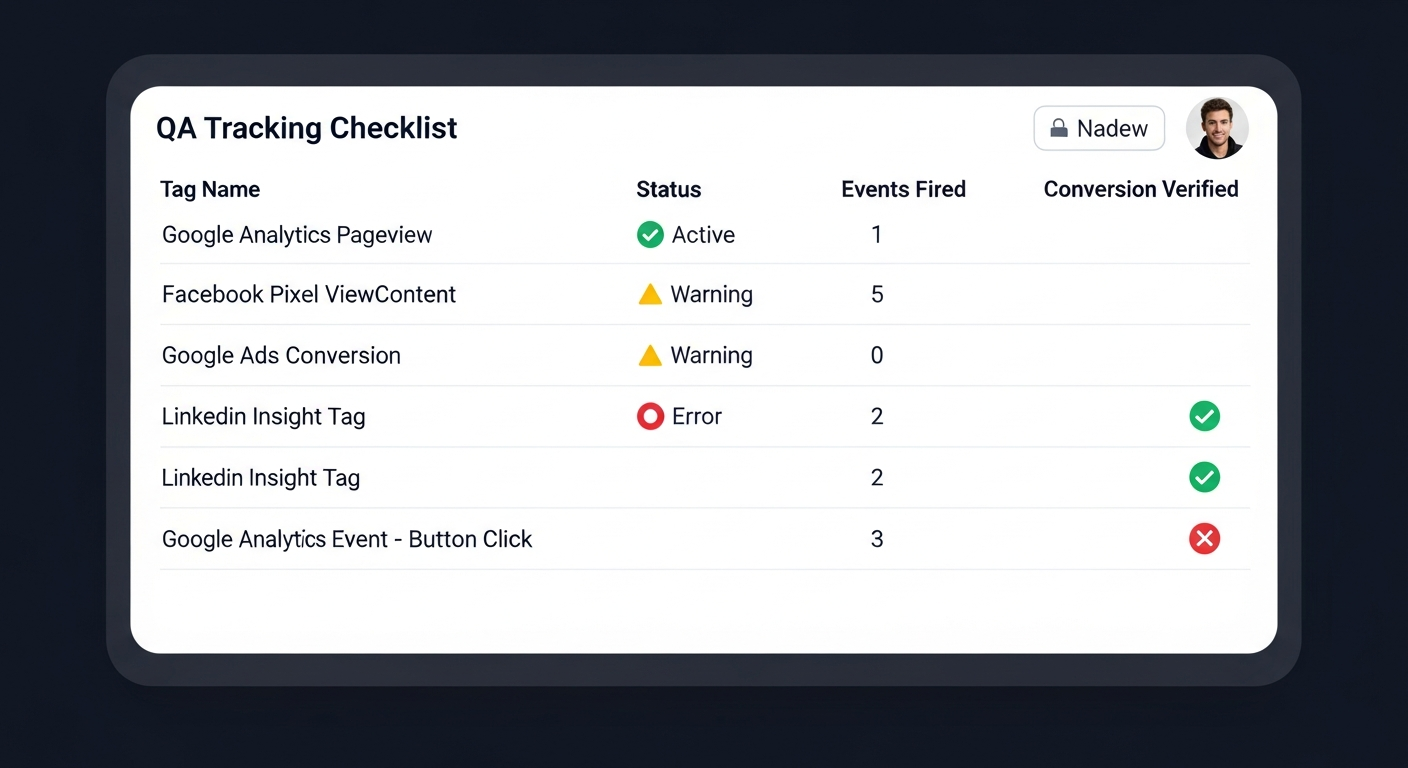
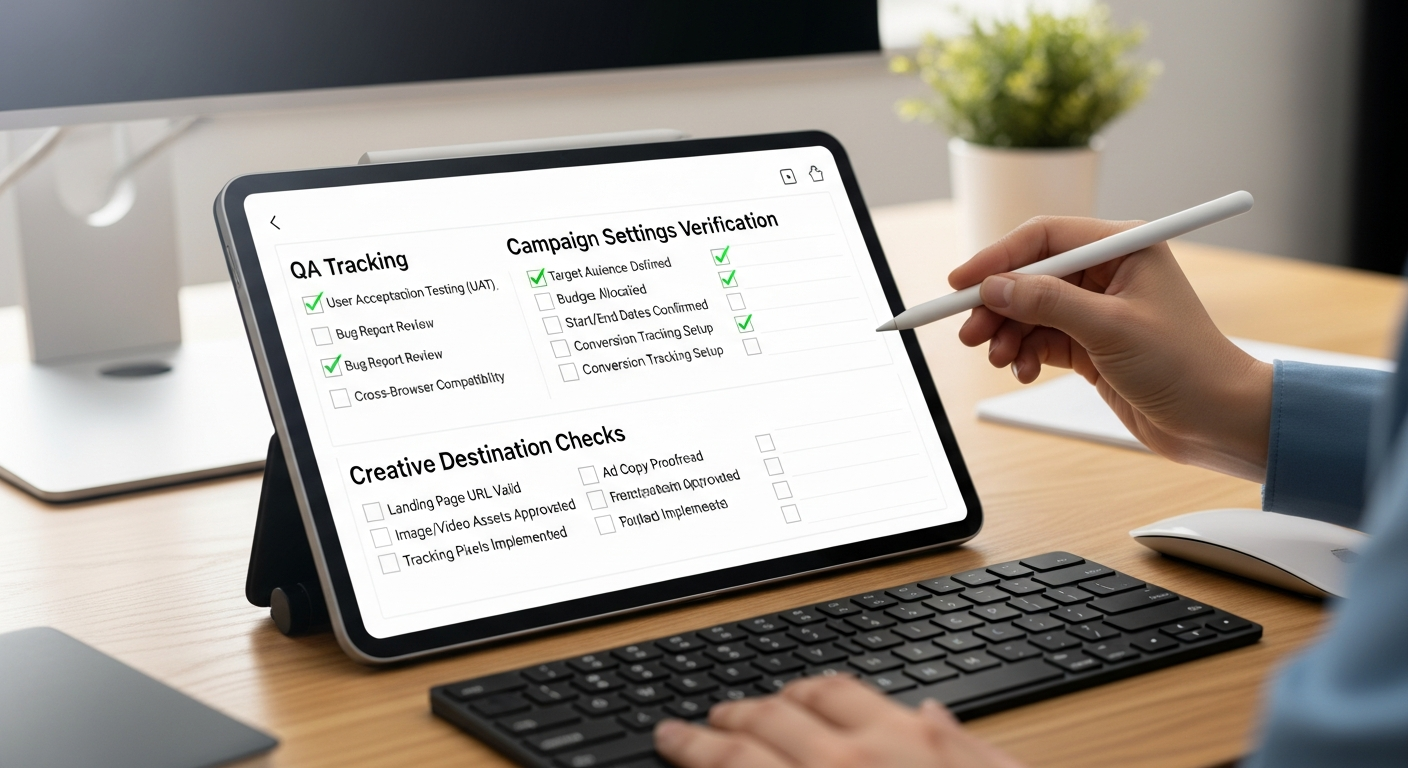
Tracking QA
- Open a tagged URL (UTMs included) in an incognito window.
- Trigger the key actions (view, add, submit, purchase test).
- Verify events in platform tools (pixel/event manager, tag diagnostics).
- Confirm primary conversion registers correctly.
- Check deduplication if multiple systems are firing events.
Campaign sanity
- Correct objective (don’t run traffic and expect purchases).
- Correct conversion goal selected (the one you tested).
- Placements and geo match your business reality.
- Exclusions applied (employees, existing customers if needed).
- Schedule makes sense (time zones matter).
Creative and destination QA
- Ad link works and loads fast on mobile.
- Message match is tight (headline reflects ad claim).
- Primary CTA is obvious above the fold.
- No policy landmines (claims, prohibited content, missing disclosures).
Also, if your campaign depends on influencer endorsements or testimonials, your disclosure language needs to be clear and compliant. The FTC’s guidelines exist for a reason. :contentReference[oaicite:4]{index=4}
Measurement + reporting: truth without drama
Reporting is where teams accidentally turn marketing into theater.
Good reporting answers three questions: What happened? Why did it happen? What do we do next?
Build a simple reporting stack
- Platform dashboards for optimization signals
- Analytics for multi-channel context
- CRM for lead quality and revenue reality
And yes, UTMs should be consistent so you can reconcile platform data with analytics and CRM. If you want the formal definition again: UTM parameters identify the marketing campaign that refers traffic to a website and help attribute sessions in analytics tools. :contentReference[oaicite:5]{index=5}
Attribution: stop treating it like a courtroom drama
Attribution is directional, not divine prophecy.
- Platform attribution is optimized for that platform
- Analytics attribution depends on configuration and user consent
- CRM attribution depends on tracking continuity and human data entry (ouch)
So the goal is consistency and triangulation, not “perfect.” If you want more measurement architecture and audit-style thinking, keep those references handy on your main site.
Optimization cadence (the sane version)
- Daily (5–10 minutes): spend, delivery, obvious tracking failures, disapprovals
- Twice weekly (30 minutes): search terms/placements, creative fatigue, audience drift
- Weekly (60–90 minutes): CPA/ROAS trends, controlled tests, budget reallocation
- Monthly: restructure only if intent mismatch is proven
One-sentence rule: if you can’t explain a change and how you’ll measure it, don’t make it.
Rookie mistakes (and how to avoid them)
Paid ads for beginners isn’t hard because ads are complicated.
It’s hard because people skip fundamentals and then blame the platform.
Mistake #1: Optimizing for the wrong goal
Traffic campaigns produce traffic. Engagement campaigns produce engagement. If you want leads or sales, optimize for leads or sales. The algorithm is literal.
Mistake #2: “We’ll fix tracking later”
That’s like saying “we’ll add seatbelts later.”
Set up the Google tag correctly (sitewide) and configure conversions like the platform recommends. :contentReference[oaicite:6]{index=6}
Mistake #3: Too many campaigns, not enough data
Fragmented spend = fragmented learning. Consolidate until you have volume.
Mistake #4: Copying “what worked for someone else”
Your market, offer, and funnel are different. Steal structure, not outcomes.
Mistake #5: Ignoring the landing page
The ad is the invitation. The landing page is the date. If the date is weird, you’re not getting a second one.
If you want to keep a growing “battle-tested fixes” vault for these mistakes, make it a living resource on your blog home so every campaign gets easier over time.
Tools and templates: what’s worth paying for
You don’t need a giant tool stack. You need a few tools that reduce mistakes and speed up execution.
My bias: pay for tools that improve measurement, reduce manual labor, and prevent expensive errors. Don’t pay for “AI magic ads” that promise to print money. If it sounds like a slot machine pitch, it probably is.
Core tools that help most setups
- Google Tag Manager-compatible setup (or a platform integration that doesn’t break every update)
- URL builder + naming conventions for UTMs
- Landing page speed checks and basic CRO tools
- Creative workflow tools that let you iterate fast without chaos
If you’re building a standardized client onboarding kit, turn this whole section into a reusable SOP and keep it alongside your other frameworks on Social Media Marketing Techniques.
Amazon “search links only” recommendations (practical gear)
These are not “secret weapons.” They’re the boring tools that make setup faster and less error-prone.
1) Analytics notebook / campaign log (yes, analog is fine)
2) External SSD (store creative exports, backups, and reporting snapshots)
3) Webcam + mic kit (for UGC-style ads and fast creative testing)
4) Ring light (simple lighting fixes most “bad video” problems)
5) Dual monitor stand (because managing ads on one screen is self-harm)
External sources worth bookmarking
- Google Ads Help: Use the Google tag for conversion tracking :contentReference[oaicite:7]{index=7}
- Meta Business Help Center: Set up and install the Meta Pixel :contentReference[oaicite:8]{index=8}
- FTC: Endorsements and testimonials guides (16 CFR Part 255) :contentReference[oaicite:9]{index=9}
Frequently Asked Questions
Do I really need both a pixel and platform conversion tracking if I already have Google Analytics?
Yes. Analytics is great for reporting, but ad platforms optimize off their own conversion signals. If you skip platform tags/pixels, you reduce attribution quality and cripple bidding/learning. Use analytics for cross-channel truth, and platform tracking for optimization.
What’s the minimum conversion tracking setup for a beginner who can’t code?
Use Google Tag Manager or your site’s native integrations (Shopify/Woo/WP plugins), install the base tag/pixel, and fire standard events for lead, add-to-cart, and purchase (or form submit). Then verify in the platform diagnostics and run a test conversion before spending real budget.
How should I structure campaigns so I don’t create a messy Frankenstein account?
Structure by objective and intent: separate prospecting from retargeting; separate brand from non-brand search; keep one primary conversion per campaign; and use consistent naming. Fewer campaigns, cleaner signals, better learning. Complexity is not a flex.
Why do my conversions show in my CRM but not in the ad platform?
Usually it’s broken event firing, wrong conversion action selected, consent/ad blockers, cross-domain issues, or the conversion window/attribution model mismatch. Start by validating tags, checking event parameters, testing the full funnel, and confirming the campaign is optimizing for the right conversion.
What’s a sane optimization routine that won’t make me panic-edit my campaigns daily?
Daily: spot-check spend, delivery, and obvious tracking failures. Twice weekly: review search terms/placements and creative fatigue. Weekly: evaluate CPA/ROAS trends and run controlled tests. Monthly: restructure only if you have stable volume and clear intent mismatches.
Bottom line: your 7-day setup sprint
Bottom line: don’t “launch ads.” Launch a measurement system.
If you want a tight execution plan, here’s your seven-day sprint:
- Day 1: Ad account setup (access, billing, 2FA, roles, guardrails)
- Day 2: Conversion definition + funnel map (one primary conversion)
- Day 3: Conversion tracking setup (Google tag + platform conversion actions) :contentReference[oaicite:10]{index=10}
- Day 4: Pixel setup guide + events discipline (Meta pixel + standard events) :contentReference[oaicite:11]{index=11}
- Day 5: Campaign structure + naming conventions (prospecting/retargeting separation)
- Day 6: Landing page message match + speed fixes
- Day 7: Preflight QA + controlled launch (then observe like an adult)
One last insider takeaway: the best “optimization hack” is having data you can trust. Without that, you’re not optimizing—you’re just rearranging deck chairs on the Titanic and calling it strategy.
Now go set it up properly. And if you catch yourself “just tweaking things” for the third time today… close the tab, drink water, and let the system learn.
As an Amazon Associate, I earn from qualifying purchases.