Best Social Media Marketing Tools & Software for beginners is a phrase people Google when they’re drowning in tabs and getting exactly zero posts published. Here’s the truth: you don’t have a “tools” problem. You have a workflow problem—and tools are just the wiring.
The problem is most “starter stacks” are either influencer cosplay (30 tools you’ll never open) or corporate overkill (enterprise dashboards for someone who posts twice a week). If you’re a beginner or a small business, your stack should be boring, fast, and hard to mess up.
Fast forward to what actually matters: consistency, decent creative, and basic measurement. Also: the internet is not getting quieter. Datareportal’s Digital 2026 reporting puts global social media user identities at 5.66 billion (about 68.7% of the world). Translation: your audience is in there somewhere, but you won’t reach them with “I’ll post when I feel inspired.” Source
Table of Contents
- What you need (not what you want)
- The beginner-safe starter stack
- Scheduling tools that don’t waste your life
- How to use Social Media Marketing Tools & Software to plan posts
- Design & video tools (keep it simple)
- Analytics that matter for beginners
- Free social media marketing tools & software worth using
- Frequently Asked Questions
- Bottom line
What you need (not what you want)
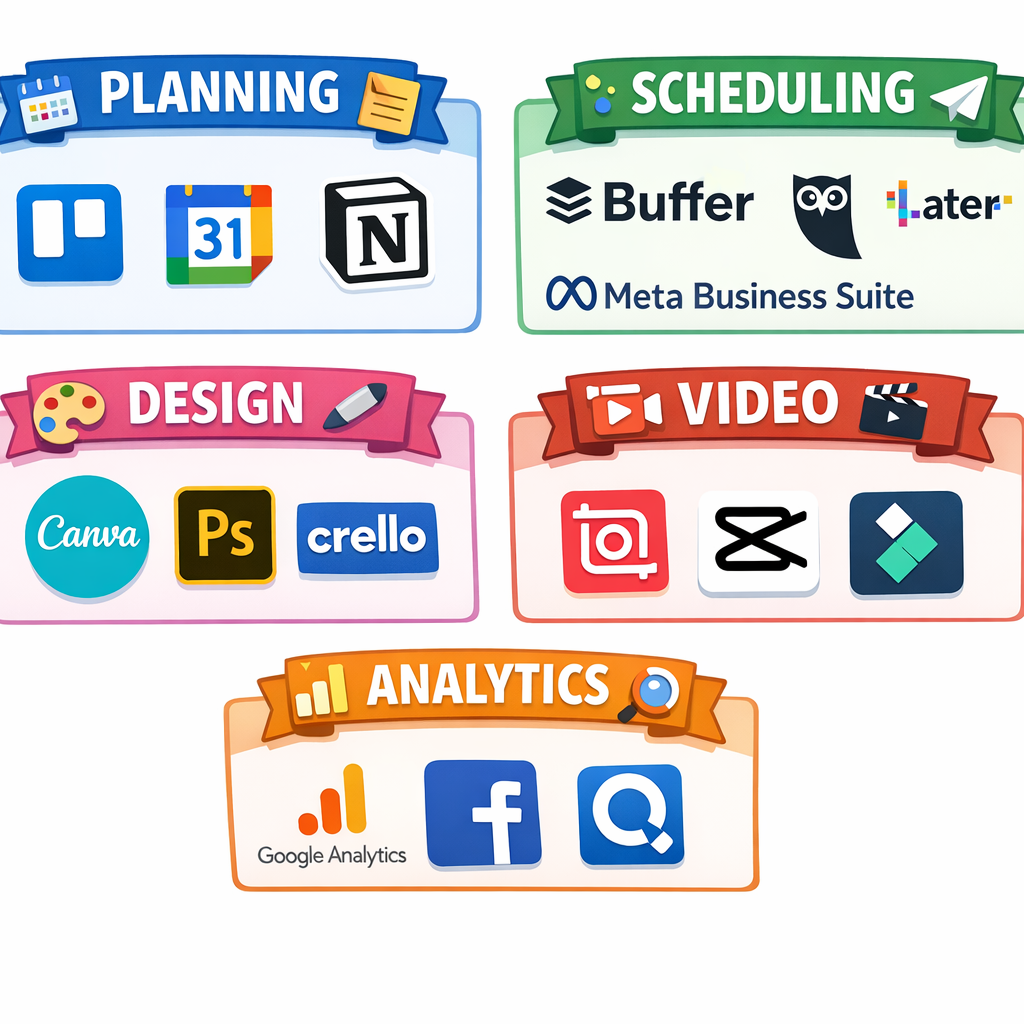
Snippet answer: Beginners need five things: a planning space, a scheduler, a design tool, a quick video editor, and basic analytics. Start free-first, add paid tools only when you’re managing multiple platforms/accounts or reporting becomes a time sink. Everything else is optional noise.
Let’s be blunt: most beginners buy tools to avoid doing the uncomfortable part—publishing imperfect posts. Tools don’t fix that. But the right tools do remove friction so you can ship.
Also, audience behavior is fragmented. Pew Research’s 2025 reporting shows platform usage is spread across YouTube, Facebook, Instagram, TikTok, Reddit, and more. You’re not “behind.” You’re just playing in a messy environment where consistency beats vibes. Source
So here’s the rule: pick a stack that makes your weekly process inevitable. If a tool requires you to “be disciplined,” it’s probably a bad tool for a beginner.
The beginner-safe starter stack
This is the core stack that works for creators, solopreneurs, and social media marketing tools & software for small business setups. Minimal moving parts. Maximum output.
1) Planning (where ideas live before they die)
- Google Sheets (free): simple content calendar + status columns (Idea → Draft → Scheduled → Posted).
- Notion (free tier): if you want a nicer database and templates. If you don’t already use it, don’t force it.
2) Scheduling (where consistency becomes automatic)
- Meta Business Suite (free): solid for Facebook + Instagram scheduling and basic insights. Meta’s own help docs show how scheduling works inside the tool. Source
- Buffer (paid/free tier varies): clean UI, beginner-friendly. Good if you’re on multiple platforms and want one place to schedule.
3) Creative (where “good enough” gets made)
- Canva (free tier): fast templates, brand kit if you pay. Perfect for beginners who need decent visuals today.
4) Video editing (because short-form is not optional)
- CapCut (free): quick captions, trims, effects. Beginners get to “publishable” fast.
5) Analytics (so you don’t fly blind)
- Native platform insights: start here. Don’t pay for “analytics” before you understand what you’re measuring.
- GA4 + UTM links (free): if you care about site clicks and conversions, not just likes.
Want the expanded tool list and category map? I keep the “big picture” breakdown updated here: the Social Media Marketing Tools & Software hub.
Scheduling tools that don’t waste your life
This is where most beginners either level up or flame out.
Social media marketing tools & software tools for scheduling are valuable for one reason: they eliminate daily decision-making. If you’re posting manually every day, you’re spending your best energy on logistics instead of content.
Meta Business Suite: free, reliable, and “good enough”
If you’re focused on Instagram + Facebook, Meta Business Suite is the default answer. It’s free, it schedules posts, and it’s supported by the platform. Meta literally documents the scheduling steps and where to manage scheduled posts. Source
What sucks: the UI changes, and it won’t solve cross-platform scheduling if you’re on five networks. But for beginners? It’s a no-brainer.
Buffer: the “I have a life” option for multi-platform
Buffer is what I recommend when someone says, “I’m on IG, TikTok, LinkedIn, and I’m tired.” You get one queue, one calendar, and fewer moving parts.
What sucks: if you’re allergic to paying for software, you’ll resist it. Fine. Just understand you’re paying with time instead.
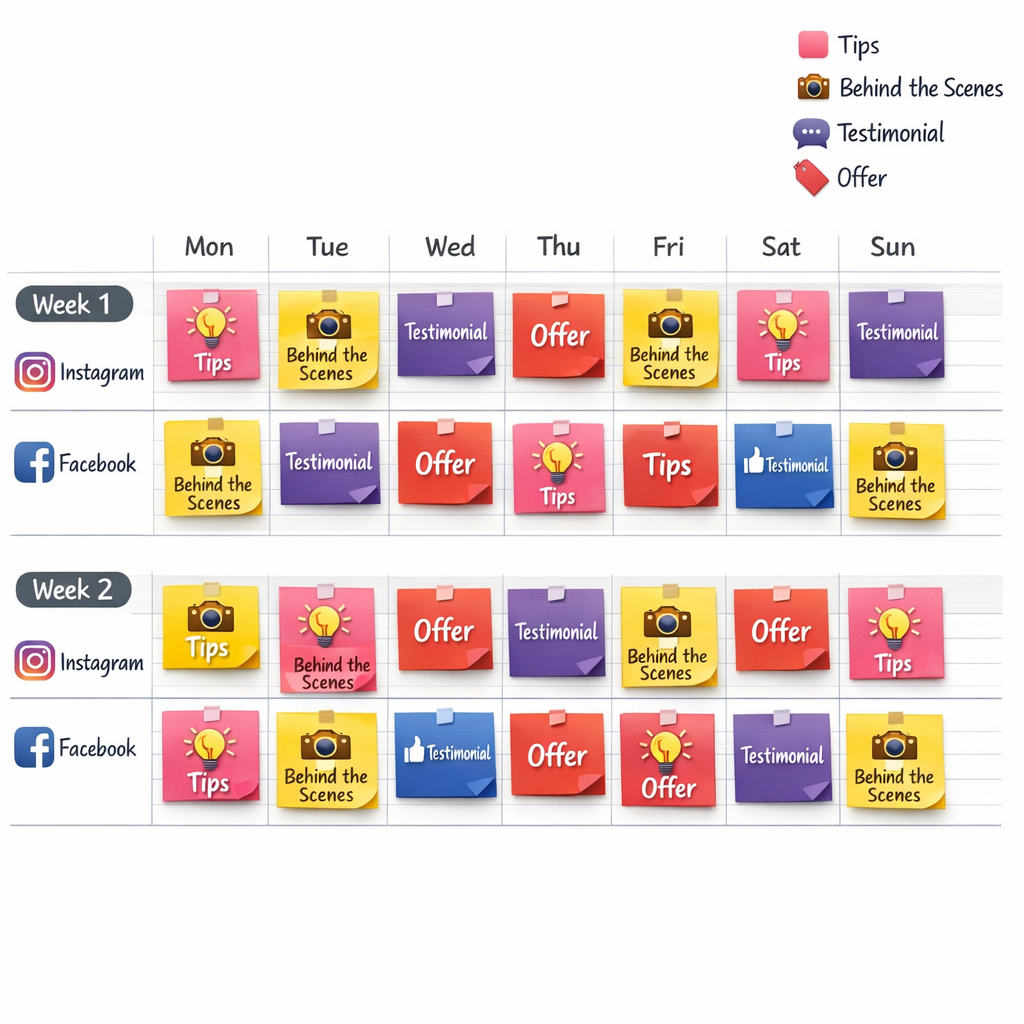
Pro tip: don’t schedule everything for the entire month like you’re planning a space mission. Two weeks is enough to stay consistent without getting stuck in outdated drafts.
If you want a deeper breakdown on tool categories and what to buy later (and what to ignore forever), link back into the hub: beginner tool stack guide.
How to use Social Media Marketing Tools & Software to plan posts
Here’s the part most people overcomplicate. You don’t need a content “system.” You need a weekly rhythm you can repeat while tired.
The 60-minute weekly planning loop (beginner-proof)
- Pick 3 content pillars (topics you can repeat): e.g., Tips, Proof, Behind-the-Scenes.
- Choose 2 formats you can actually produce: e.g., Reels + carousels (or Shorts + single-image posts).
- Brain-dump 10 hooks (first line ideas). Don’t write full posts yet.
- Draft 4–6 posts in Canva/CapCut. Keep them “good enough,” not cinematic.
- Schedule for 2 weeks in Meta Business Suite or Buffer.
- Set 1 metric goal for the week (example: “increase saves by 20%”).
Bottom line: your plan should create output, not anxiety.
And if you’re a small business, add one more step: tie each post to a business action (DM, call, lead form, link click). Otherwise you’re just decorating the internet.
Small business add-on: message management without losing your mind
- Meta inbox (free): centralizes FB/IG messages. Use quick replies.
- A simple CRM (optional): even a Google Sheet is fine until you’re getting real volume.
If you want a broader map of tools by category (planning, creation, scheduling, reporting), keep this open in another tab: Social Media Marketing Tools & Software for beginners.
Design & video tools (keep it simple)
Beginners love to “get good at design” as a procrastination strategy.
Here’s the truth: your audience doesn’t care that your font pairing is “chef’s kiss.” They care that you’re helpful, specific, and consistent.
Canva: fast visuals, fewer regrets
- Use templates, then standardize: same colors, same layout, same type hierarchy.
- Make 3 reusable sets: a carousel template, a quote/proof template, a promo template.
- Stop redesigning every post. That’s not branding. That’s self-sabotage.
CapCut: quick edits that don’t require a film degree
- Trim hard: remove dead air like it insulted your mother.
- Add captions: not because it’s trendy, but because it improves comprehension.
- Save presets for intro/outro so you’re not rebuilding the same thing weekly.
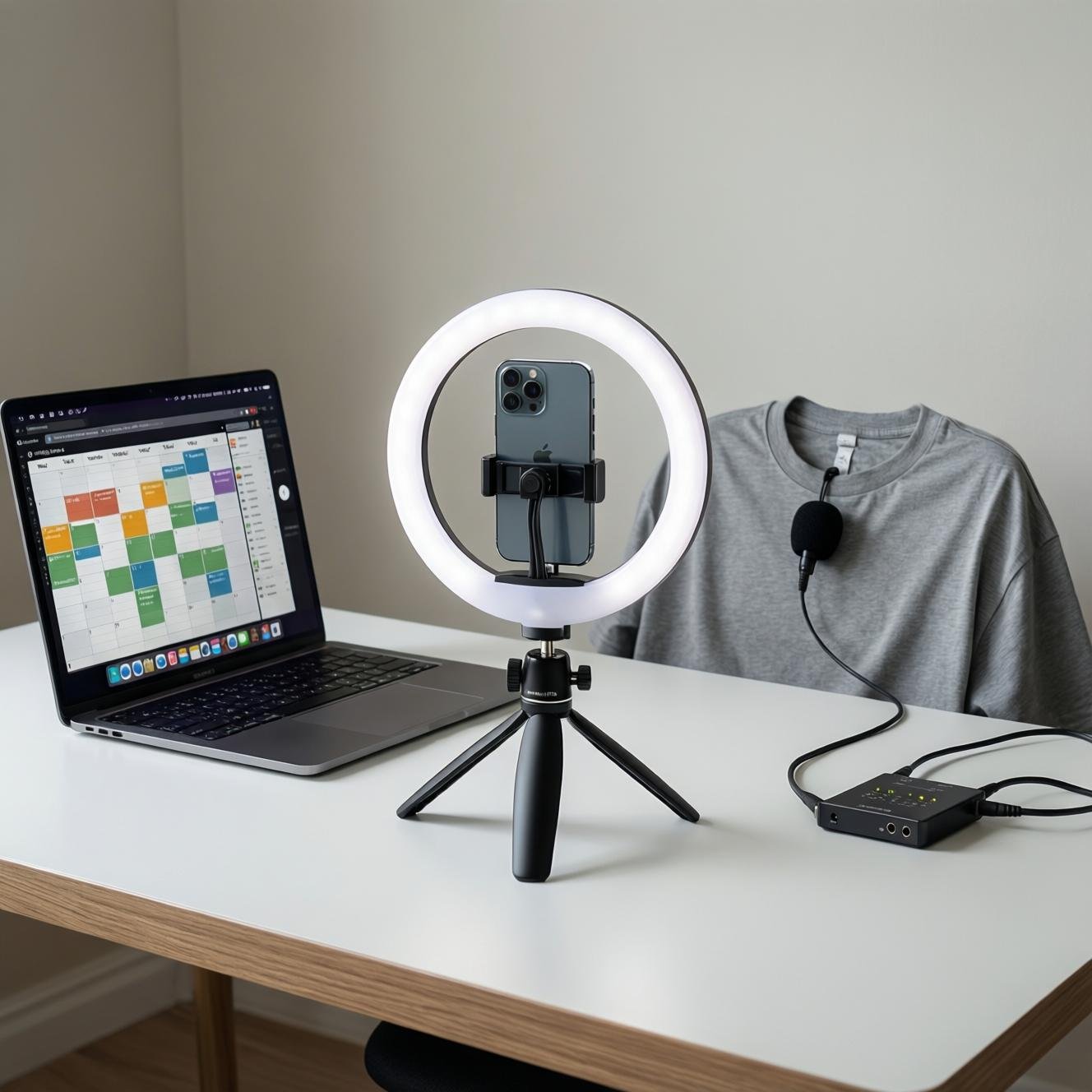
Now the “hardware” reality. If you want your content to look cleaner without learning color theory, buy boring gear.
Beginner gear that actually helps (optional, but useful):
- Ring light + tripod (makes any phone camera look better in 5 seconds).
- Lavalier microphone (audio quality is the difference between “professional” and “scroll”).
- Social media content planner notebook (if you think better on paper than in apps).
Analytics that matter for beginners
Most analytics dashboards are just expensive ways to feel guilty.
Track metrics that tell you what to do next. If a metric doesn’t change your next post, it’s decoration.
What to track weekly
- Saves (signals “this is useful”)
- Shares (signals “this is worth spreading”)
- Comments (signals “this starts conversation”)
- Profile visits (signals “this increased curiosity”)
- Link clicks (signals “this drives action”)
What to ignore (for now)
- Follower count day-to-day (it moves slowly, and it lies)
- Reach spikes with no saves/shares (often a low-intent audience)
- Engagement rate obsession without context (industry + format matters)
If you want benchmark context, Hootsuite publishes rolling platform stats and benchmark-style breakdowns. Use it as a sanity check, not as your personality. Source
For small businesses, add one technical upgrade: UTM-tagged links on posts that drive traffic. Then you can see what content actually converts in GA4, not just what gets claps.
Free social media marketing tools & software worth using
Yes, free social media marketing tools & software can get you to real results. The catch: you must keep your scope tight.
- Meta Business Suite: free scheduling + basic insights for IG/FB. (Official scheduling guidance exists in Meta’s help center.) Source
- Google Sheets: planning + tracking + simple reporting in one place.
- Canva Free: templates that prevent you from making ugly stuff while you learn.
- CapCut Free: edit fast, caption fast, publish fast.
- Native insights: platform dashboards before you pay for “unified reporting.”
One more reality check: there are billions of people on social. Your competitive edge is not “more tools.” It’s a repeatable production loop that keeps you shipping content while other people are still reorganizing their Notion workspace. Source
Frequently Asked Questions
What’s the best beginner stack if I only want free tools?
Meta Business Suite (schedule), Canva Free (design), CapCut (video), Google Sheets (planning), and native insights (measurement). That’s enough to publish consistently and learn what works before spending money.
Do I actually need a scheduling tool, or can I just post manually?
Manual posting is fine when you’re experimenting. But if you want consistency, scheduling wins because it reduces daily decisions. If you’re posting 3+ times a week, scheduling pays for itself in sanity.
How far ahead should beginners plan content?
Two weeks. Monthly plans sound organized, but they often become stale or unrealistic. Two weeks lets you adjust quickly without losing momentum.
What metrics should beginners track without going insane?
Saves, shares, comments, profile visits, and link clicks. Ignore daily follower fluctuations. If you can’t tie the metric to a next action, it’s noise.
When should I upgrade to paid tools?
Upgrade when you manage multiple platforms/accounts, need approvals, need consolidated reporting, or you’re spending more time copying/pasting than creating. Until then, free-first is the smart play.
Bottom line
Here’s the insider takeaway: beginners don’t need “the best tools.” They need the few tools that make consistency unavoidable.
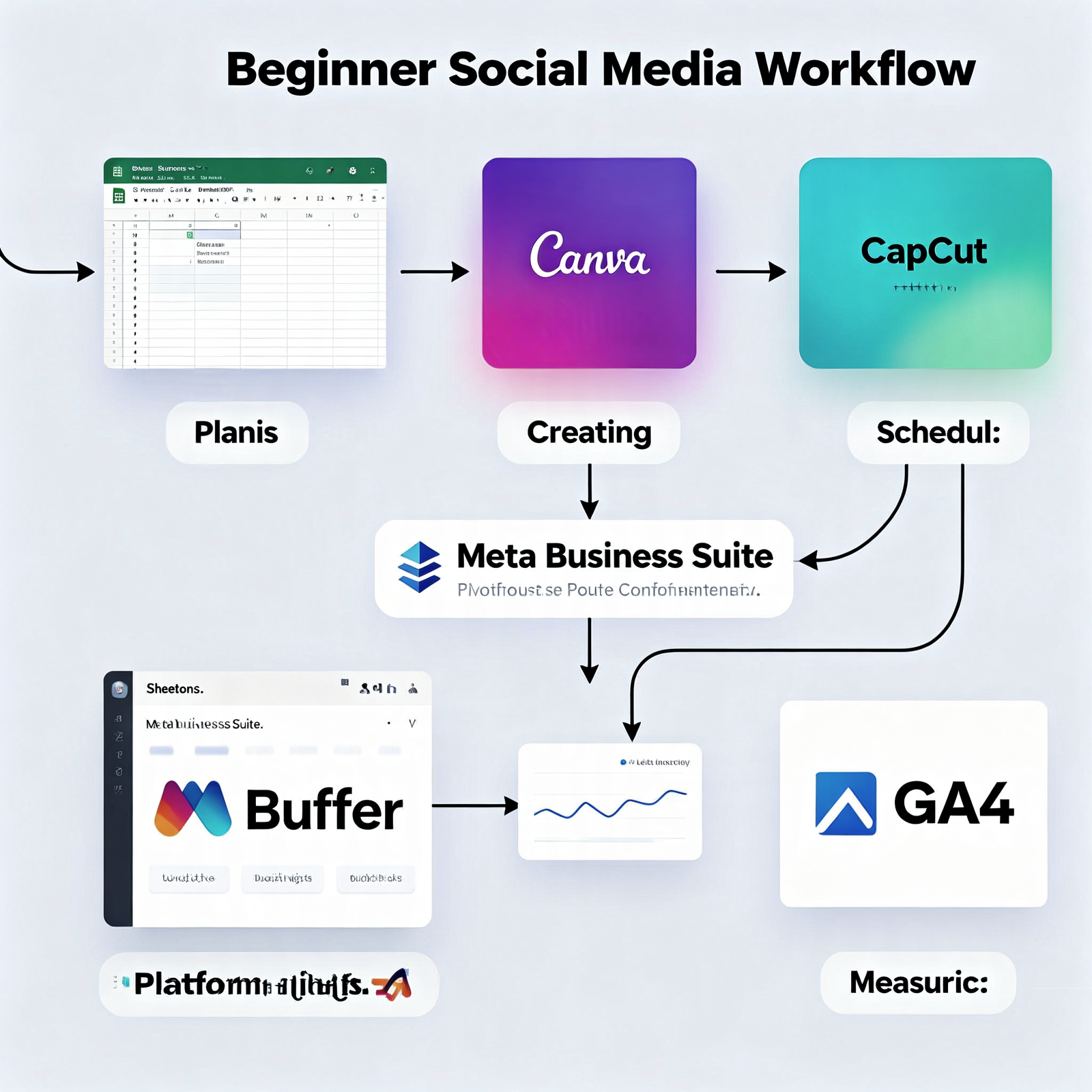
Start with planning (Sheets), creation (Canva/CapCut), scheduling (Meta Business Suite or Buffer), and basic analytics (native insights + UTMs if you’re driving traffic). Anything beyond that is a later problem you haven’t earned yet.
Now go schedule your next two weeks.
If your stack still feels chaotic after this, it’s not because you need another app. It’s because you’re trying to build a spaceship when you just need a bicycle. Wear a helmet. Ship the post.
As an Amazon Associate, I earn from qualifying purchases.