Table of Contents
- What Is a Social Media Audit Checklist?
- Why Your Current Audit Is Probably Failing
- The Complete Social Media Audit Checklist: 14 Critical Checkpoints
- Building a Reusable Social Media Audit Template
- The Social Media Audit Process: From Raw Data to Real Decisions
- Advanced Audit Tactics Most Marketers Skip
- Social Media Audit Myths I’m Tired of Hearing
- Frequently Asked Questions
- My Top Recommended Gear
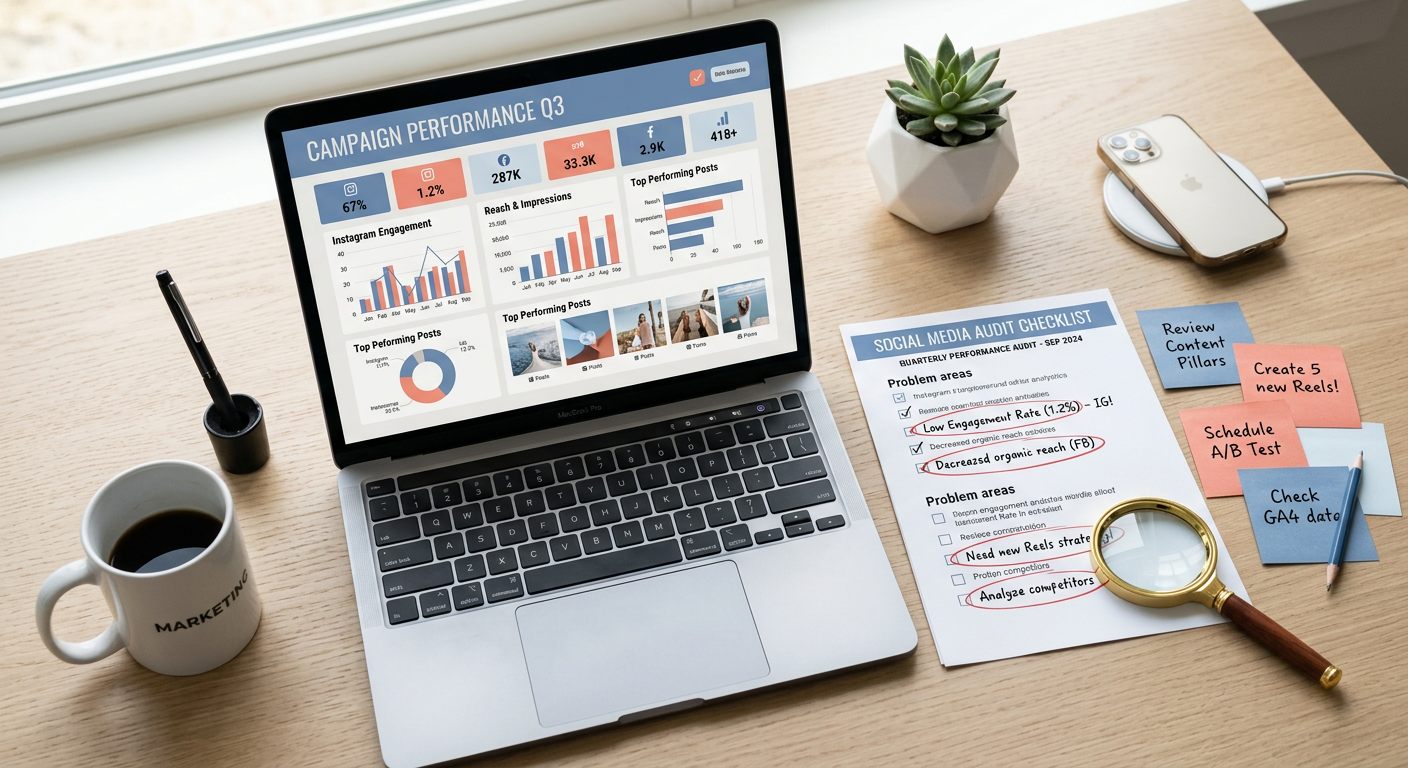
Your social media audit checklist is probably giving you a passing grade you don’t deserve. I watch it happen constantly—marketers run through a generic list, check every box, file the report, then sit there baffled when engagement keeps sliding and leads dry up. The real problem isn’t that you skip audits. It’s that you audit the wrong things, congratulate yourself, and repeat the cycle. After running audits for brands across B2B SaaS, e-commerce, and professional services for over 12 years, I built this checklist to do one specific thing: find what’s actually broken. Not what looks clean in a slide deck. What’s genuinely costing you results.
What Is a Social Media Audit Checklist?
A social media audit checklist is a structured framework for systematically evaluating every element of your social presence—from profile optimization and content performance to audience alignment and competitive positioning—so you can pinpoint the specific weaknesses dragging down your results and prioritize fixes that move the needle.
Think of it less like a report card and more like a diagnostic scan. A good mechanic doesn’t just say “the car runs rough.” They isolate whether it’s the fuel injectors, the spark plugs, or a vacuum leak. Your audit should work the same way. Every checkbox should lead to a diagnosis, and every diagnosis should lead to an action item. If your current checklist doesn’t produce a prioritized list of fixes by the time you finish, you’re doing busywork—not strategy.
Why Your Current Audit Is Probably Failing
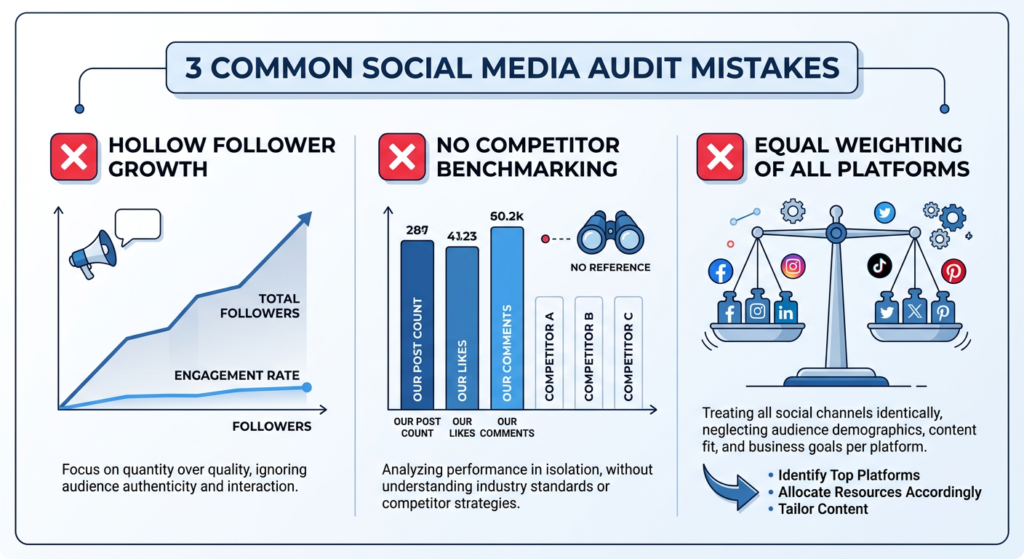
I’ve reviewed hundreds of audit reports from agencies and in-house teams. The same three mistakes show up almost every single time.
Mistake #1: Vanity metric worship. You’re tracking follower counts and total impressions without benchmarking them against engagement rates or conversion data. Pew Research data shows that platform usage patterns shift dramatically across demographics—raw follower numbers mean nothing without audience quality context.
Mistake #2: No competitive frame of reference. Your 3.2% engagement rate sounds great until you realize your top three competitors average 5.8%. Without competitor benchmarking, you’re grading yourself on a curve you invented.
Mistake #3: Treating every platform equally. I’ve seen brands pour hours auditing a Pinterest account that drives zero revenue while barely glancing at the LinkedIn profile that generates 40% of their leads. If you want a deeper look at how to evaluate platforms individually, I break down the full methodology in my platform strategy audits playbook.
The Complete Social Media Audit Checklist: 14 Critical Checkpoints
I’ve organized these into four categories. Print this out, open a spreadsheet, or drop it into your project management tool. Each checkpoint should produce a rating (red/yellow/green) and a specific action item.
Profile & Brand Consistency
- 1. Handle & URL consistency — Verify your username is identical (or clearly related) across every active platform. Inconsistencies confuse search and erode brand recognition.
- 2. Bio optimization — Check that every bio includes a current value proposition, relevant keywords, and a working CTA link. Not your 2019 tagline.
- 3. Visual branding — Profile photos, cover images, and highlight covers should match your current brand guidelines. I still find clients using logos from two rebrands ago.
- 4. Link & UTM integrity — Click every link in every bio. You’d be amazed how many point to dead landing pages or missing UTM parameters.
Content & Engagement Analysis
- 5. Top and bottom content identification — Pull your top 10 and bottom 10 posts by engagement rate (not total likes) over the last 90 days. Look for patterns in format, topic, and timing.
- 6. Content mix ratio — Map every post to a category: educational, promotional, entertaining, community. If promotional content exceeds 30%, you’ve likely found your engagement problem. Research from Sprout Social’s industry index consistently supports this.
- 7. Engagement rate vs. industry benchmark — Calculate your engagement rate per platform and compare it to published benchmarks for your industry. Raw numbers without context are useless.
- 8. Posting frequency & timing — Compare your actual posting cadence against your planned schedule. Gaps reveal operational breakdowns.
Audience & Growth Metrics
- 9. Audience demographic alignment — Does your actual follower demographic match your ideal customer profile? If you sell B2B software but 60% of your Instagram audience is 18-24, something’s misaligned.
- 10. Follower growth rate & quality — Track net growth (new followers minus unfollows) monthly. A sudden spike with zero engagement increase signals bot followers or irrelevant audiences.
- 11. Referral traffic analysis — Use Google Analytics to measure how much traffic each platform actually sends to your website. This is where vanity meets reality.
For a broader strategy framework that connects these audit findings to actual planning, check out my guide on social media strategy planning.
Operations & Compliance
- 12. Response time audit — Measure your average response time to comments, DMs, and mentions. Anything over 4 hours during business hours is a problem.
- 13. Security & access review — Document who has admin access to every account. Remove former employees and agency partners. This is a non-negotiable.
- 14. Compliance check — Ensure all sponsored content, partnerships, and affiliate posts meet FTC disclosure guidelines. Missing disclosures can mean real legal trouble.
Building a Reusable Social Media Audit Template
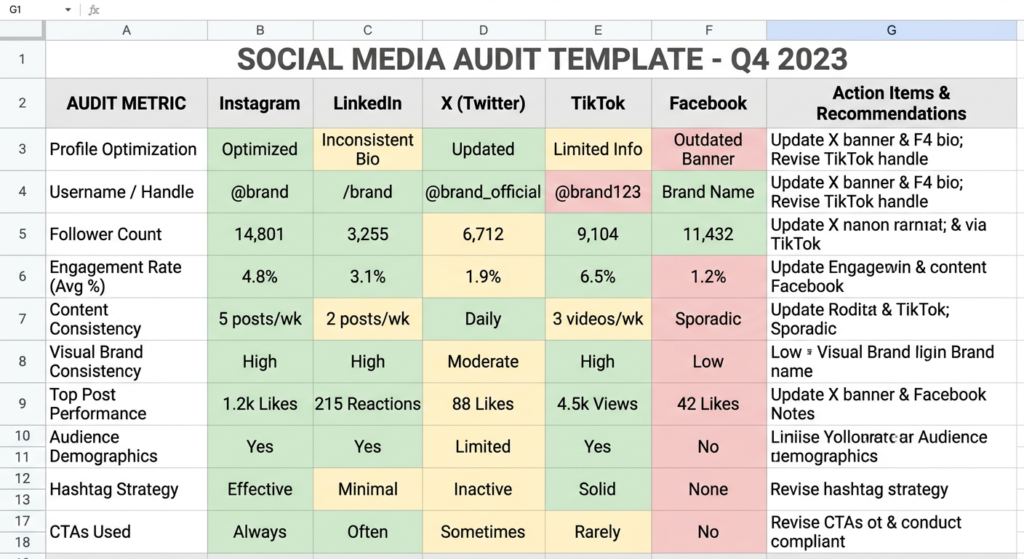
A social media audit template saves you from rebuilding the wheel every quarter. Here’s what mine includes and why it works.
I use a simple spreadsheet with four tabs: Overview Dashboard (summary scores per platform), Platform Deep-Dives (one sheet per active channel with all 14 checkpoints), Competitor Benchmarks (side-by-side metrics for 3-5 competitors), and Action Items (prioritized fixes with owners and deadlines). IMO, the action items tab is the most important part—without it, the entire audit is just an expensive observation exercise.
Keep your template living, not static. After each audit cycle, add columns for the current quarter so you can track trends over time. The power isn’t in any single snapshot—it’s in seeing whether your fixes actually moved the numbers. If your red items from Q1 are still red in Q3, you’ve got an execution problem, not an information problem.
The Social Media Audit Process: From Raw Data to Real Decisions
The social media audit process breaks down into three phases, and most people only do the first one.
Phase 1: Data Collection (2-3 hours). Pull native analytics from every platform, export Google Analytics referral data, screenshot competitor profiles, and gather your last 90 days of posts. I export everything into my template before I analyze anything—don’t try to interpret data while you’re still collecting it.
Phase 2: Diagnosis (1-2 hours). This is where you apply the 14 checkpoints and assign red/yellow/green ratings. Compare your numbers against your competitors and industry benchmarks. Identify patterns—not isolated anomalies.
Phase 3: Prescription (1 hour). Prioritize your red items using a simple impact vs. effort matrix. A broken bio link takes five minutes to fix and immediately improves conversions—that goes to the top. Overhauling your entire content strategy requires weeks of work and testing—that’s a quarterly initiative, not a Tuesday afternoon task. According to research cited by Harvard Business Review, the brands that win on social media consistently prioritize data-driven iteration over guesswork.
Expert Commentary: This video walks through a practical, step-by-step social media audit walkthrough that complements the checklist above—especially useful if you’re a visual learner who wants to see the process executed in real time before running your own.
Advanced Audit Tactics Most Marketers Skip
Once you’ve nailed the fundamentals, these three advanced methods separate good audits from genuinely transformative ones.
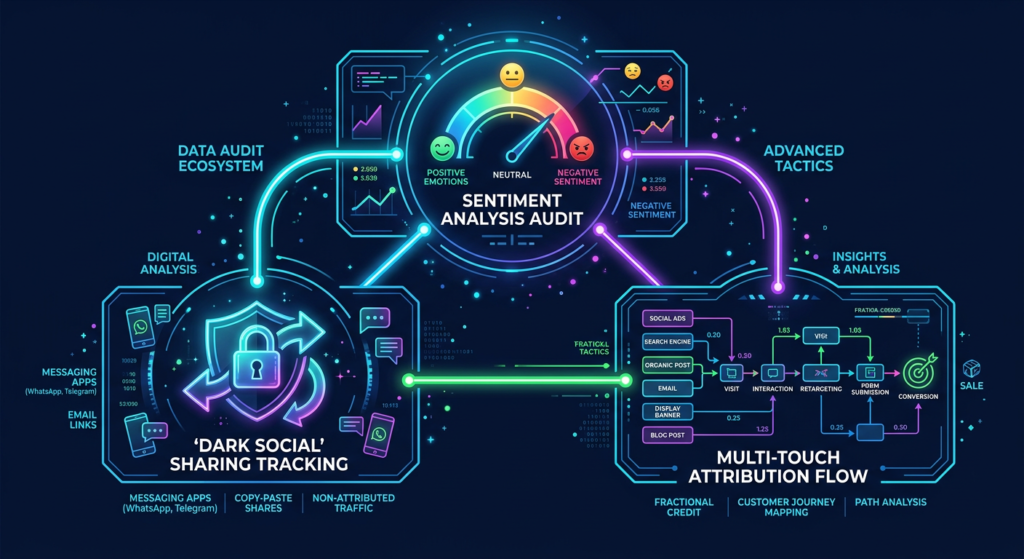
Sentiment analysis beyond the numbers. Engagement rate tells you people react to your content. Sentiment analysis tells you how they feel about it. Tools like Brandwatch and Mention can scan comments and mentions for positive, negative, and neutral sentiment. I’ve seen brands with great engagement rates discover that 40% of their comments were complaints. That’s not engagement—that’s a customer service crisis.
Dark social tracking. A massive portion of social sharing happens through private channels—DMs, email, text messages—where your analytics see nothing. Adding UTM parameters and shortened tracking links to every piece of content helps you capture at least a portion of this invisible traffic. If you want systems-level thinking about tracking growth, my advanced growth systems guide covers this in detail.
Content decay analysis. Your best-performing posts from six months ago might be driving zero traffic today. Audit your evergreen content specifically to identify posts worth refreshing, repurposing, or retiring. TBH, I find at least 3-5 “zombie” posts in every audit I run—content that used to perform but now just sits there doing nothing.
Social Media Audit Myths I’m Tired of Hearing
“You only need to audit once a year.” Algorithms change quarterly. Your competitors adjust monthly. An annual audit is an autopsy, not a diagnostic. Audit quarterly at minimum.
“More followers always means better performance.” I’ve worked with a 12,000-follower B2B account that generated $2M in pipeline annually and a 500,000-follower consumer brand that couldn’t attribute a single dollar to social. Follower count is a vanity metric until you prove otherwise with conversion data.
“AI tools can run the audit for you.” Tools collect data. They don’t understand your business context, competitive positioning, or strategic priorities. You still need a human brain—preferably one that’s done this before—to interpret the numbers and make judgment calls 🙂
Frequently Asked Questions
How often should I run a social media audit?
I recommend a full audit quarterly and a lighter performance-focused check monthly. Major brand changes, algorithm updates, or sudden engagement drops should also trigger an immediate audit. Waiting a full year between audits means you’re always reacting instead of proactively optimizing.
What tools do I need for a social media audit?
At minimum, you need each platform’s native analytics (completely free), a spreadsheet for tracking, and Google Analytics for referral traffic data. Premium tools like Sprout Social, Hootsuite Analytics, or Brandwatch add deeper competitive and sentiment analysis—but they’re not required to run an effective audit.
How long does a complete social media audit take?
For a brand managing 3-5 platforms, a thorough audit typically takes 4-8 hours. Your first audit always takes longer because you’re building your baseline template and establishing benchmarks. Subsequent audits using a reusable template can realistically be completed in 3-5 hours.
What is the most important metric in a social media audit?
Engagement rate relative to your specific industry benchmark is the single most revealing metric. It tells you whether your content resonates with your actual audience. But never look at any single metric in isolation—pair engagement with referral traffic and conversion data to get the full picture.
My Top Recommended Gear
These are tools and resources I personally use or recommend to clients running serious social media audits. They make the process faster and the output sharper.
- Social Media Marketing All-in-One For Dummies — A surprisingly thorough reference for auditing frameworks and platform-specific metrics. I keep a copy on my desk. Find it on Amazon.
- Social Media Content Planner & Audit Journal — A dedicated planner designed for tracking social metrics, content calendars, and audit notes in one place. Great for teams that prefer analog planning alongside digital tools. Find it on Amazon.
- Dell UltraSharp 27-Inch Monitor — Running audits across multiple analytics dashboards and spreadsheets simultaneously demands serious screen space. This monitor has been my daily driver for three years and I’d never go back to anything smaller. Find it on Amazon.
Disclaimer: This post contains affiliate links. As an Amazon Associate, I may earn a commission from qualifying purchases at no additional cost to you.