By Danilo | Social Media Marketing Techniques | May 25, 2026
Your TikTok watch time optimization strategy is either working for you or silently killing your reach — and most creators never figure out which until it’s too late. Here is the uncomfortable truth: TikTok does not care how hard you worked on a video. It cares about one thing — how long people stay.
If viewers scroll past in under two seconds, the algorithm buries that content. Fast. And since most small business owners and affiliate marketers are already stretched thin on time, a poor watch time rate means every hour of filming is quietly wasted.
The good news: watch time is fixable. Not with trending audio tricks or posting volume hacks. With structure. This article breaks down exactly what watch time means, what kills it, and seven specific fixes you can apply starting with your next video.
In This Article
- What TikTok Watch Time Actually Measures (Not What You Think)
- Why Most Creators Get Watch Time Wrong From the Start
- The 7-Fix Framework I Would Use to Rebuild Watch Time
- Common Mistakes That Quietly Tank Your Retention
- Advanced Tactics Most Guides Skip Entirely
- What I Would Avoid: Watch Time Mistakes That Waste Your Time
- Recommended Tools for TikTok Growth
- Step-by-Step Action Plan to Improve Watch Time This Week
- FAQ: TikTok Watch Time Questions Answered Directly
- My Top Recommended Gear
- What I’d Do Next
What TikTok Watch Time Actually Measures (Not What You Think)
TikTok watch time optimization means structuring your videos so the algorithm sees high average seconds-watched and strong completion rates per play. TikTok rewards these signals with wider distribution. A video rewatched even once dramatically lifts its average watch time, which is why rewatch-worthy content consistently outperforms viral hooks with no substance.
Watch time on TikTok is not simply the total seconds your video runs. The platform tracks average watch time — the mean number of seconds viewers actually watch — and completion rate, which is the share of people who make it to the final frame.
Both signals feed TikTok’s recommendation engine. According to TikTok’s official newsroom explanation of its recommendation system, user interactions including video completion are among the strongest signals the For You algorithm weighs.
Rewatches matter too. When someone watches your 30-second video twice, TikTok records two plays and 60 total seconds viewed. That lifts your average watch time above the video’s actual length — a strong positive signal that the content was worth revisiting.
So the real optimization target is not just “keep people watching.” It’s: structure the video so that people want to watch again. That distinction drives the seven fixes below.
Why Most Creators Get Watch Time Wrong From the Start
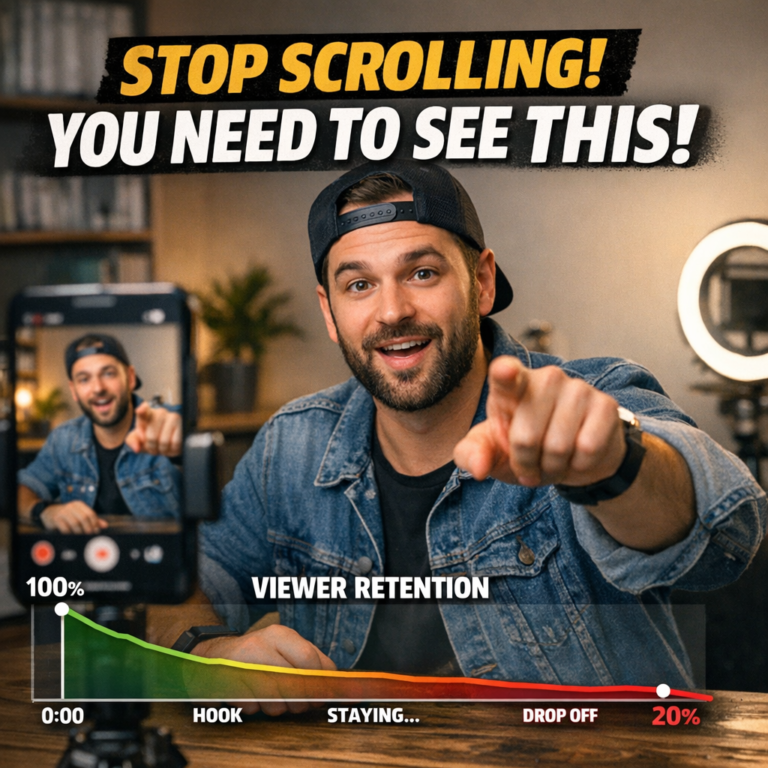
Here is where it goes sideways for most beginners: they optimize for views instead of retention. More views feels like winning. But a video with 50,000 views and a 20% completion rate tells the algorithm this content is not worth spreading. A video with 3,000 views and an 80% completion rate gets pushed further.
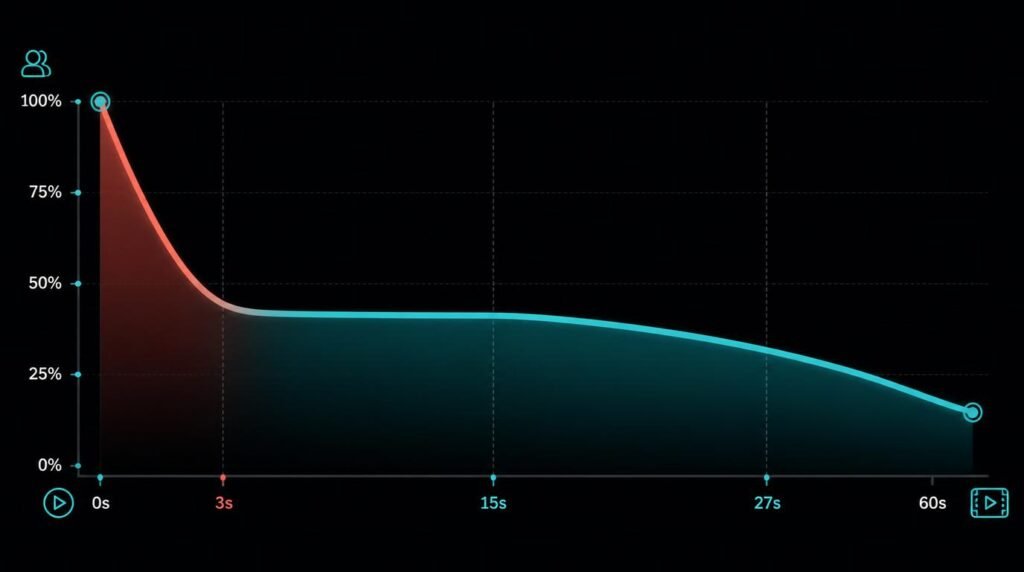
The other common error is treating every second of a video equally. They’re not. The first three seconds carry a wildly disproportionate weight. According to research published by Harvard Business Review on short-form attention patterns, attention drop-off in mobile video is sharpest in the opening moments. TikTok’s own creator documentation confirms that videos failing to capture interest in the opening frames see the highest early abandonment.
Want to know the single most damaging pattern I see in small business TikTok accounts? They open with branding. A logo. A slow pan of their storefront. Their name in a caption. That is not a hook — that is a scroll trigger.
What actually works is a 3-second opener built around a hook that creates immediate tension or curiosity. The viewer should feel pulled forward, not welcomed in.
The 7-Fix Framework I Would Use to Rebuild Watch Time
Fix 1: Rewrite Your First Three Seconds Around a Single Sharp Hook
The hook is the entire job of seconds 1–3. One strong statement, question, or visual action. Not two. Not a title card. One thing that creates an unresolved tension the viewer has to stay to resolve. “I lost $4,000 on TikTok ads before figuring this out” opens a loop. “Welcome to my channel” closes one before it started.
Fix 2: Build a Curiosity Loop That Pays Off at the End
State something in the first 10 seconds that you won’t fully explain until the final 5. This is the mechanic behind most viral educational content. You create a cognitive gap — the viewer’s brain wants closure, so it stays. TBH, this single fix is responsible for more watch-time gains than any editing trick.
Fix 3: Cut Everything That Doesn’t Earn Its Second
Watch your own video with a critical eye at the 1.25x speed. Anywhere you feel boredom creeping in, cut it. Dead air, filler phrases (“so basically…”), slow B-roll with no purpose — all of it bleeds retention. Tight is fast. Fast keeps people watching.
Fix 4: Use Pattern Interrupts Every 5–7 Seconds
A pattern interrupt is any sudden change — a cut, a new camera angle, a text pop-up, a sound effect, a zoom. It re-engages the wandering brain. You don’t need a film crew for this. Quick phone edits with jump cuts or text overlays do the job. The goal is controlled unpredictability.
Fix 5: End With a Reason to Rewatch
The closing frame of your video is underused by almost every beginner. Instead of fading out, end with a visual callback to the hook, a statement that makes the viewer want to confirm what they just heard, or a reveal that recontextualizes the opening. Rewatches are free watch time points — engineer them.
Fix 6: Match Video Length to Content Density
A 60-second video with 20 seconds of actual substance loses. A 25-second video packed with value wins. I would prioritize sub-30-second videos when starting out. Once you understand your audience’s retention curve in your analytics, then push to 45–60 seconds. Don’t go long until you’ve earned the right with consistent completion on shorter content. For a smarter approach to timing your content, see how posting schedule optimization pairs with watch time to amplify distribution.
Fix 7: Use Captions That Reinforce, Not Repeat, the Audio
Most creators auto-caption and call it done. Smarter move: make the on-screen text add a second layer of information. If you say “the algorithm loves this,” the caption can say “←this is why your reach died.” That visual/audio mismatch creates a rewatch because the viewer wants to catch both tracks simultaneously.
Common Mistakes That Quietly Tank Your Retention
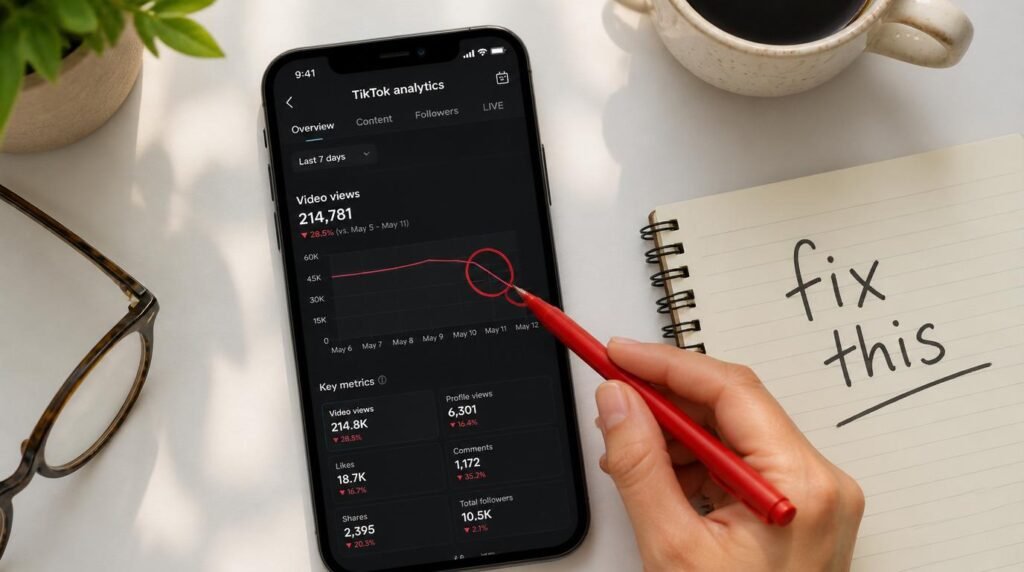
Slow intros are the obvious culprit, but here are three less-discussed mistakes that consistently wreck watch time for small business owners:
- Talking about yourself before solving a problem. The viewer did not come for your backstory. They came for the answer. Give the answer first, earn the context later.
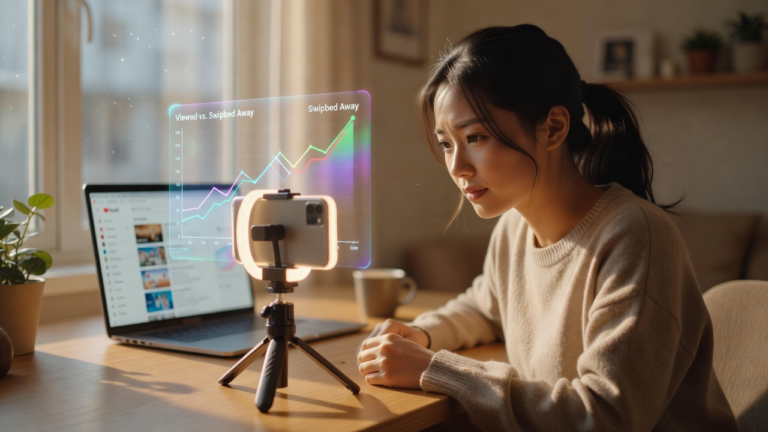
- Posting without checking retention graphs. TikTok’s analytics shows you exactly where viewers leave. Ignoring this is like running ads without checking conversion data. Look at the drop-off second, identify what is happening in your video at that moment, and cut or restructure it.
- Using the wrong audio pacing. Monotone delivery, or speaking too slowly for the format, kills momentum. Short-form video rewards energy and rhythm. If your energy in seconds 4–12 drops below your opening energy, you’re losing people.
The smarter move is to study your three best-performing videos, find the structural pattern they share, and deliberately replicate that structure across your next five videos. Most creators A/B test by accident. Do it on purpose.
Expert Commentary: This video breaks down the specific mechanics of TikTok’s retention algorithm from a creator’s perspective. Pay particular attention to the segment on how TikTok interprets drop-off timing — the difference between losing viewers at second 2 versus second 12 has very different algorithmic consequences, and understanding that distinction changes how you structure your hook versus your mid-video pacing.
Advanced Tactics Most Guides Skip Entirely
Can You Engineer Rewatches Deliberately?
Yes — and this is the tactic most beginner guides never mention. Embed a fast-moving visual element early in the video (a number, a graphic, a subtle detail) that you reference at the end: “Did you catch the stat I showed at the start?” Viewers will scroll back. Each rewatch is a free watch-time boost. This works especially well for affiliate marketers using product comparison content, where small details matter.
What Does the Algorithm Actually Reward at the Micro Level?
Beyond completion rate, TikTok tracks re-plays per video and shares to DMs — shares to DMs are particularly powerful because they signal the content was useful enough to send to someone specific. Structure a portion of your content as “send this to someone who needs to hear it” material, and you activate a sharing behavior that compounds over time. This pairs directly with the broader TikTok algorithm growth strategy for sustainable reach.
The Myth: Longer Videos Always Win Because They Rack Up More Seconds
Not true. Ngl, this is one of the most repeated pieces of bad advice in the TikTok growth space. A 3-minute video with 30% completion generates less meaningful watch time signal than a 30-second video with 85% completion. TikTok values the quality of attention, not just the volume of seconds. Completion rate is more predictive of push than raw watch minutes — start short, prove retention, then earn the right to go longer.
What I Would Avoid: Watch Time Mistakes That Waste Your Time
Here is my honest short list of things I would not waste time on when optimizing TikTok watch time:
- Chasing trending sounds as a retention strategy. Trending audio can get early impressions, but it does not keep viewers watching. Retention is structural. No song fixes a boring video.
- Over-editing without purpose. Heavy transitions and effects don’t substitute for content substance. Every edit decision should serve pacing, not performance.
- Publishing without reviewing the analytics on the previous video. Each video should inform the next. Skipping that review loop means repeating the same mistakes while hoping for different results.
- Optimizing for likes instead of saves and replays. Likes are a vanity metric on TikTok. Saves, replays, and shares to DMs are the signals that tell the algorithm your content delivered real value.
Recommended Tools for TikTok Growth
The tools below are worth evaluating based on your current needs. I look for tools that provide clear analytics, scheduling efficiency, and actionable insight — not just dashboards with pretty numbers.
- TikTok Creator Studio (native): Start here. It’s free, shows video-level retention graphs, and gives you the completion rate data that matters most. No third-party tool replaces native retention analytics.
- Later or Buffer (scheduling tools): For small businesses maintaining a consistent posting cadence, a scheduling tool prevents the watch-time gains from being diluted by inconsistent upload timing.
- CapCut (editing): The most practical editing tool for TikTok content. Free, built for vertical video, and includes caption generation, speed adjustment, and auto-cut features that directly support the pattern-interrupt strategy.
According to Sprout Social’s TikTok analytics guide, tracking average watch time alongside engagement rate gives a more complete picture of content health than either metric alone.
Step-by-Step Action Plan to Improve Watch Time This Week
This is what I would do starting today, before filming a single new video:
- Open TikTok Analytics. Pull your last 10 videos. Note the completion rate and average watch time for each one.
- Identify your best performer. Watch it back and write down: what the hook was, when any big drop-off started, and how it ended. That’s your baseline structure to replicate.
- Rewrite your next video hook using the tension-first format: state a problem or surprising claim before you say a single word about yourself or your product.
- Add a midpoint pattern interrupt. One jump cut, text overlay, or sound shift at the 50% mark of your next video.
- Engineer a closing callback. End by referencing something from the first 5 seconds so the viewer subconsciously wants to rewatch to confirm.
- Post, wait 48 hours, check retention graph. Note exactly where the drop-off happens and adjust that specific moment in your next video.
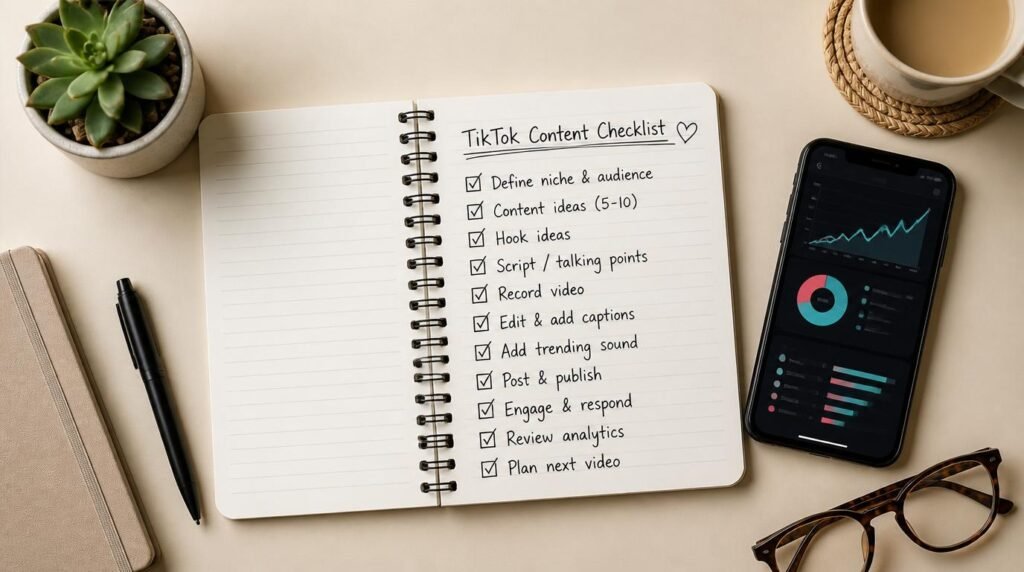
- Repeat for 4 consecutive videos. You will have more actionable data than most creators ever collect. That data becomes your sustainable growth playbook.
FAQ: TikTok Watch Time Questions Answered Directly
What is TikTok watch time optimization and why does it matter?
TikTok watch time optimization is the process of structuring your videos so viewers watch longer, rewatch, and complete them. TikTok’s algorithm directly rewards high average watch time and completion rate by pushing content to wider audiences. Even a 10% improvement in completion rate can significantly expand your organic reach without spending a dollar on ads.
How does TikTok measure watch time and completion rate?
TikTok measures average watch time (total seconds watched divided by total plays) and completion rate (percentage of viewers who watched to the end). Both signals feed the algorithm. Rewatches count as additional plays, which lifts average watch time. TikTok’s internal analytics panel shows these metrics per video, giving you a clear map of what worked and what failed.
What is a good completion rate on TikTok?
A completion rate above 60% is considered strong for most niches. Videos under 15 seconds typically hit 70–90% completion because the barrier is low. For videos between 30–60 seconds, consistently hitting 50–65% puts you in distribution-friendly territory. Track your own baseline first — improvement relative to your own average matters more than chasing an arbitrary benchmark.
Does video length affect TikTok watch time optimization?
Yes — shorter videos are easier to complete but generate less raw watch time per play. Longer videos can accumulate more total seconds watched if retention holds. The smarter move for most small businesses and affiliate marketers is to keep videos between 25–45 seconds until you understand your audience’s attention curve, then test longer formats with a proven hook structure.
How do I use TikTok analytics to improve watch time?
Open TikTok Creator Tools, go to Analytics, and check each video’s average watch time, completion rate, and traffic source. Look for the moment viewers drop off using the retention graph. If most leave in the first 3 seconds, your hook is the problem. If they leave at the 50% mark, you likely have a pacing or payoff issue. Fix one variable at a time and re-test.
My Top Recommended Gear
These are tools worth comparing based on your current stage and budget. No inflated claims — just an honest look at what solves real problems for small business owners and affiliate marketers using TikTok.
- Smartphone Ring Light with Tripod Stand
Best for: Beginners who film solo and want consistent lighting without a studio setup.
Why it’s worth considering: Poor lighting is the fastest way to signal “low production value” to viewers who are deciding whether to keep watching in the first two seconds. A ring light removes that barrier immediately. Good fit for anyone filming at a desk or in a home office.
Compare Ring Light Options on Amazon - Lavalier Clip-On Microphone for Smartphone
Best for: Creators who film in environments with background noise and need cleaner audio without a recording booth.
Why it’s worth considering: Audio quality directly affects how long viewers stay. Bad audio creates friction. A lapel mic under $40 can meaningfully reduce early abandonment caused by audio issues. A smart starting point before investing in more complex gear.
Compare Lavalier Microphones on Amazon - Social Media Content Scheduling Software (Annual Subscription)
Best for: Small business owners managing multiple platforms who need scheduling, analytics, and posting consistency in one place.
Why it’s worth considering: Consistent posting cadence supports watch time growth by building an audience that returns expecting content. Useful if you want to manage TikTok, Instagram Reels, and YouTube Shorts from a single dashboard without manually tracking timing.
Compare Social Media Tools on Amazon
What I’d Do Next
If you’ve read this far, you already understand more about TikTok watch time optimization than 80% of creators posting daily. The gap now is execution.
Pick one fix from the seven above — just one — and apply it to your next video before you do anything else. Check the analytics 48 hours later. Compare the completion rate to your last three videos. That single data point will tell you more than another hour of reading guides.
If you want a curated view of how watch time fits into a broader TikTok growth system, compare the recommended tools above, check current pricing, and choose what solves your actual bottleneck — not the flashiest option in the category.
The reader who acts on one thing today beats the one who waits to understand everything.
Disclaimer: This post contains affiliate links. As an Amazon Associate, I may earn a commission from qualifying purchases at no additional cost to you. I only recommend products I have personally tested, carefully researched, or believe offer practical value based on clear use cases.