For a full decade, Google Search Console social media tracking simply did not exist. You could watch every click to your website, but the moment someone found your brand through a TikTok video or an Instagram Reel, the trail went cold. Then, on a single Tuesday in July 2026, Google flipped that on its head, and honestly? Most people set it up wrong on day one.
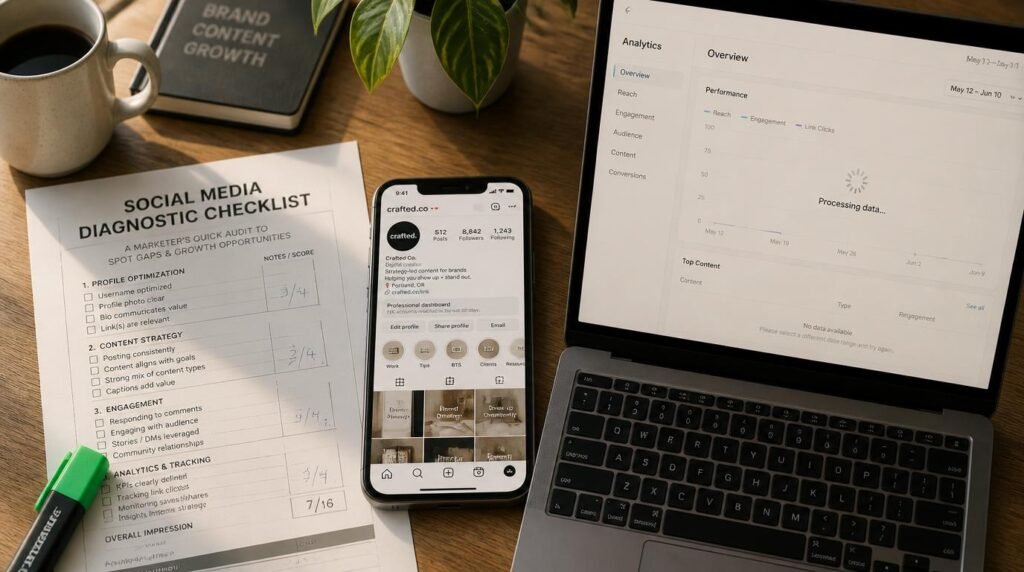
Here is the problem. Marketers heard “Search Console now tracks social” and assumed it meant referral traffic, or in-app views, or some magic all-in-one number. It measures none of those things. So they connect their accounts, stare at a chart that reads zero, and quietly conclude the feature is broken. It is not broken. It is measuring something very specific, and once you understand exactly what, you stop chasing ghosts and start reading the one signal that actually tells you where Google is sending searchers to your content. That is what you become able to do here: diagnose your own setup, fix it fast, and finally see your true search footprint across every platform.
On this page
- What Search Console social tracking actually measures
- Where tracking breaks: the 5 most common setup failures
- The misconception that quietly ruins your reports
- Step-by-step: connect Instagram, TikTok, X & YouTube
- Advanced tactics most guides skip
- Building a social SEO tracking workflow that holds up
- FAQ
- My top recommended gear
What Google Search Console Social Media Tracking Actually Measures
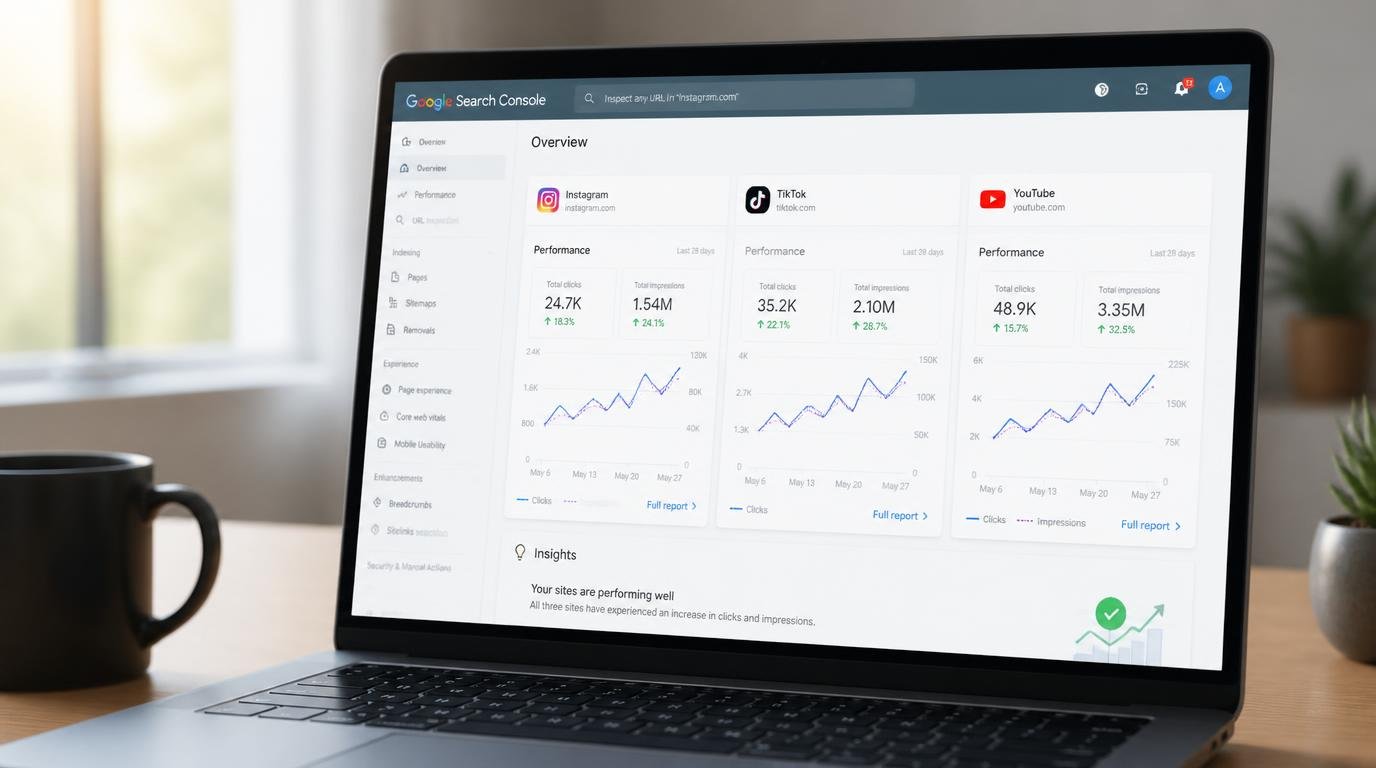
Google Search Console social media tracking uses platform properties to show how your Instagram, TikTok, X, and YouTube content performs in Google Search, Discover, and News. You get clicks, impressions, click-through rate, average position, and the exact search queries driving people to your posts. It does not measure in-app reach or engagement.
Platform properties landed on July 7, 2026, announced by Moshe Samet, the Product Manager Lead for Search Console, on the Google Search Central blog. A couple of weeks later, Google flipped the switch worldwide. The radical part is not the reports themselves, which look almost identical to the ones website owners have used for years. It is the verification model: for the first time, you verify that you control a social account, not a domain. A creator who has never owned a website can now see their Google footprint.
Each connected account becomes its own property, and it feeds three familiar reports. The Performance report gives you total clicks, impressions, CTR, and average position, filterable down to individual posts and the queries that surfaced them. The Insights report is your weekly glance: trending-up and trending-down query groups, top posts, and how people discover your account on Google. And Achievements tracks click milestones over rolling 28-day windows, more of a progress marker than a strategy tool.
The queries tab is the part that earns its keep. If your YouTube tutorial keeps appearing for a phrase you never intended to target, that is a content idea handed to you for free. That signal used to be invisible on anything you did not host yourself.
Why Your Tracking “Breaks”: The 5 Most Common Setup Failures
So why do so many people swear the feature does nothing? Because “broken” almost always means “misread.” I have connected these properties across a fistful of accounts, and every dead-end traces back to one of five causes. Let me walk them one by one, phrased the way you would actually type them into a search bar at 11pm.
Why can’t I see the option to add a social property?
The rollout was staggered over weeks after launch before going global, so early on plenty of accounts simply did not show the option yet, and a few even had a property appear without any action. If you still cannot find it, open the property selector dropdown directly and click “Add property” rather than hunting through settings. The entry point sits right beside “Add a website,” not buried in a submenu.
Why is my platform property showing zero data?
This is the big one, and nine times out of ten it is not a failure at all. New properties take a few days after verification to populate, and the default reporting window is 28 days. Connect on a Monday, and your first honest look should wait until the following week. Pull the chart open on day one and of course it reads empty. Patience is a setting here, TBH.
Why did my data suddenly stop updating?
For security, Google periodically re-checks that you still control the account. If the external login expires or access lapses, the property pauses and reporting freezes until you re-verify. The good news: once you re-authorize, you get the same history back with no waiting period. If your numbers flatline out of nowhere, check the connection before you assume the worst.
Am I connecting the right account?
If you manage several profiles, it is easy to authorize the wrong one, especially on X or a brand-versus-personal Instagram. Every profile is a separate property, so you have to repeat the whole flow for each account you want to track. One property does not quietly cover your whole presence on a platform.
Why isn’t my Facebook or LinkedIn showing up?
Because they are not supported. At launch the feature covers Instagram, TikTok, X, and YouTube, full stop. Google has hinted more platforms may follow but committed to nothing. If your strategy leans on Facebook or LinkedIn, Search Console will not measure it yet, and no amount of re-verifying changes that.
The Misconception That Quietly Ruins Your Reports
Here is the myth I want to bust directly, because it wrecks more reports than any technical glitch: platform properties do not measure your social media performance. They measure how your social content performs in Google. Those are wildly different numbers.
Google’s own documentation is blunt about it. A platform property shows how your content does on Google Search, Discover, and News. It does not track when people see your content inside the app itself. A TikTok that goes supernova entirely within the For You feed, pulling millions of native views, can show almost nothing in its platform property, because Google Search never sent those viewers. Watch that once and the whole tool clicks into place.
This means Search Console is not a replacement for Instagram Insights, TikTok Analytics, X Analytics, or YouTube Studio. Those still own on-platform reach and engagement. Search Console adds a discovery layer on top. Nor is it your website referral report, which still lives in Google Analytics 4. Three tools, three questions: native analytics answer “how did this do on the platform,” GA4 answers “who came to my site from social,” and platform properties answer “who found this through Google.” Blend those and you have the full picture, which is exactly the kind of stack I break down in my rundown of the best social media analytics tools and their hidden reporting quirks.
One more source of confusion worth clearing: platform properties are not the same as Search profiles, the public creator pages Google rolled out in June 2026, and they are not the small December 2025 preview that bolted social data onto website properties. Mixing those three up is how people end up arguing about a feature they have never actually opened. 🙂
Step-by-Step: Connect Instagram, TikTok, X & YouTube
Ready to set it up properly? The flow is genuinely short, and there is no code, no DNS record, no meta tag to paste. Here is the exact sequence.
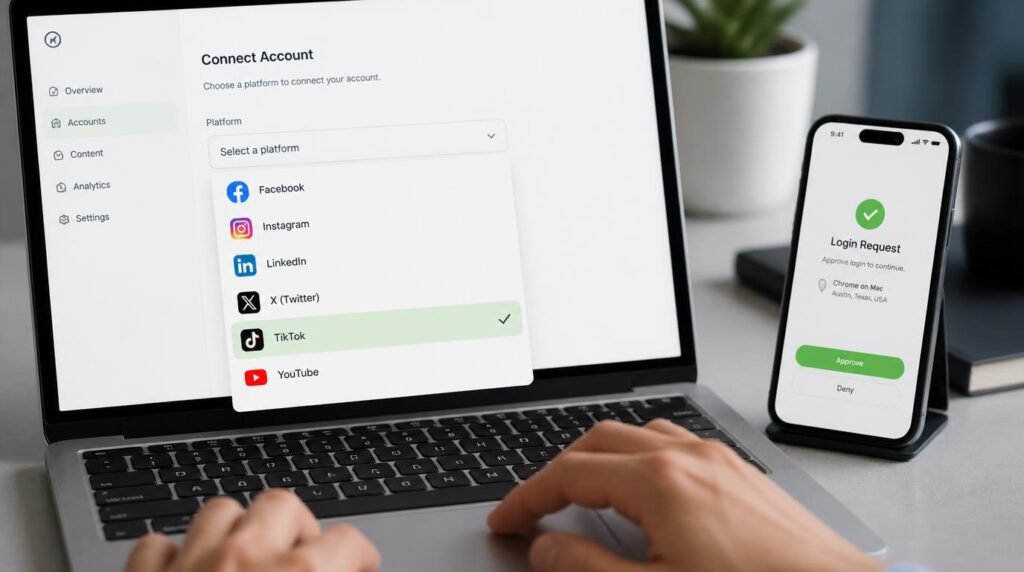
- Open the property selector. Inside Search Console, click the property dropdown in the sidebar and choose “Add property.”
- Pick your platform. Select Instagram, TikTok, X, or YouTube from the list and click Add.
- Authorize with the platform’s own login. Sign in to that account and approve the connection. This is how Google confirms you control the account instead of a domain.
- Confirm and step away. Once ownership verifies, click “Go to property.” Then leave it alone for a few days while data accumulates.
- Repeat for every account. Each profile is its own property. Run the flow again for each platform and each profile you manage.
That last point trips up agencies constantly. If you run a client’s Instagram, TikTok, and X, that is three separate properties, not one. Build the habit early or your reporting will have quiet gaps. For teams juggling this at scale, pairing it with a proper stack of social media marketing tools that consolidate cross-channel data keeps the whole thing from turning into a spreadsheet nightmare.
Advanced Tactics Most Guides Won’t Touch
Now for the part surface-level articles skip. Once your properties are live, the reports become a genuine experimentation engine, not just a scoreboard. Here is where I spend my time.
Test title and caption rewrites with annotations. Google supports Search Console annotations here, which means you can mark the day you rewrote a YouTube title or a TikTok caption and watch whether search performance shifts afterward. That turns “I think the new title helped” into an actual before-and-after you can point to. ngl, this alone is worth the setup.
Compare formats head to head. Using page filters and comparison mode, you can contrast short-form versus full-length video, or one playlist against another, and see which pulls more Google Search traffic. If your data quietly says long-form tutorials out-earn your shorts in Search, that reshapes your whole calendar.
Hunt for resurrected content. Watch for sudden impression spikes on older posts. A tutorial from eight months ago suddenly climbing in Search is Google telling you demand has returned. Pin it, refresh it, or spin a part two while the wave is cresting.
Export and stitch it to GA4. The data exports cleanly, so you can drop it beside your website analytics and finally trace a searcher from a TikTok discovery through to a site visit. Google’s own guide to analyzing social and video performance lays out the reporting logic, and it is the reference I keep open while building client dashboards.
How to Build a Social SEO Tracking Workflow That Holds Up
A single dashboard is not a workflow. The teams getting real value treat platform properties as one input in a repeatable weekly rhythm. Mine looks like this: a Monday glance at the Insights report for trending query groups, a mid-week check of Performance for any post spiking in impressions, and a monthly export that gets stitched to GA4 and native analytics for the full-funnel story.
The discipline that matters most is separating the three questions I mentioned earlier and never letting them blur. When a stakeholder asks “how is our TikTok doing,” the honest answer is “on which axis?” On-platform reach, Google discovery, and site referrals are three different truths, and a report that mashes them together is worse than no report. If you are just standing this up, a solid foundation of beginner-friendly social media tools alongside Search Console will keep the workflow simple enough that you actually stick to it.
The mindset shift is the whole point. For years, social and search lived in separate universes with separate teams. Platform properties quietly staple them together. Your Instagram Reel is now a search asset with query data, and your reporting should treat it like one.
Frequently Asked Questions
Can Google Search Console track social media traffic?
Yes. Since July 2026, Search Console tracks social media through platform properties for Instagram, TikTok, X, and YouTube. It reports clicks, impressions, CTR, average position, and the search queries leading people to your posts in Google Search, Discover, and News. It does not measure in-app reach, such as how many times a video appeared in the TikTok feed.
Do I need a website to use Google Search Console social media tracking?
No. Platform properties are the first Search Console property type verified by a social or video account instead of a domain. Creators and brands with no website can now see their Google Search footprint by signing in to the platform account directly.
Why is my Google Search Console platform property showing no data?
New properties take a few days to populate after verification, and the default window is 28 days. If it has been over a week and the property is still empty, confirm your platform authorization has not lapsed. If the login connection expires, reporting pauses until you re-verify, after which your history returns.
Does this replace Instagram Insights or TikTok Analytics?
No. Platform properties only measure Google performance, not in-app activity. Native analytics like Instagram Insights, TikTok Analytics, X Analytics, and YouTube Studio still own reach and engagement inside each app. Search Console adds a Google discovery layer on top of them.
Which platforms are supported for social media tracking in Search Console?
Instagram, TikTok, X, and YouTube at launch. Facebook and LinkedIn are not included yet. Google has signaled more platforms may follow but has not committed to a timeline.
My Top Recommended Gear
These are the resources I actually reach for when setting up and reporting on social search tracking. Pick based on where your gap is.
- A current beginner SEO handbook (2026 edition) — I recommend this for anyone who wants the search-side fundamentals to click before they read query data, because platform properties assume you already understand impressions, CTR, and position.
- A hands-on Google Analytics 4 guide — worth it because the real magic happens when you stitch Search Console query data to GA4 site behavior, and most people never learn GA4 properly enough to do that.
- A content strategy planner — low-tech, but I use one to log the title and caption rewrites I test with annotations, so the before-and-after experiments never get lost between reporting cycles.
Disclaimer: This post contains affiliate links. As an Amazon Associate, I may earn a commission from qualifying purchases at no additional cost to you. I only recommend products I’ve personally tested or rigorously researched.